
Auto Repair Estimate Template
Auto Repair Estimate Template With the free auto repair estimate templates from Billed, you can quickly create a successful estimate in just a few seconds
No credit card required. Cancel anytime.
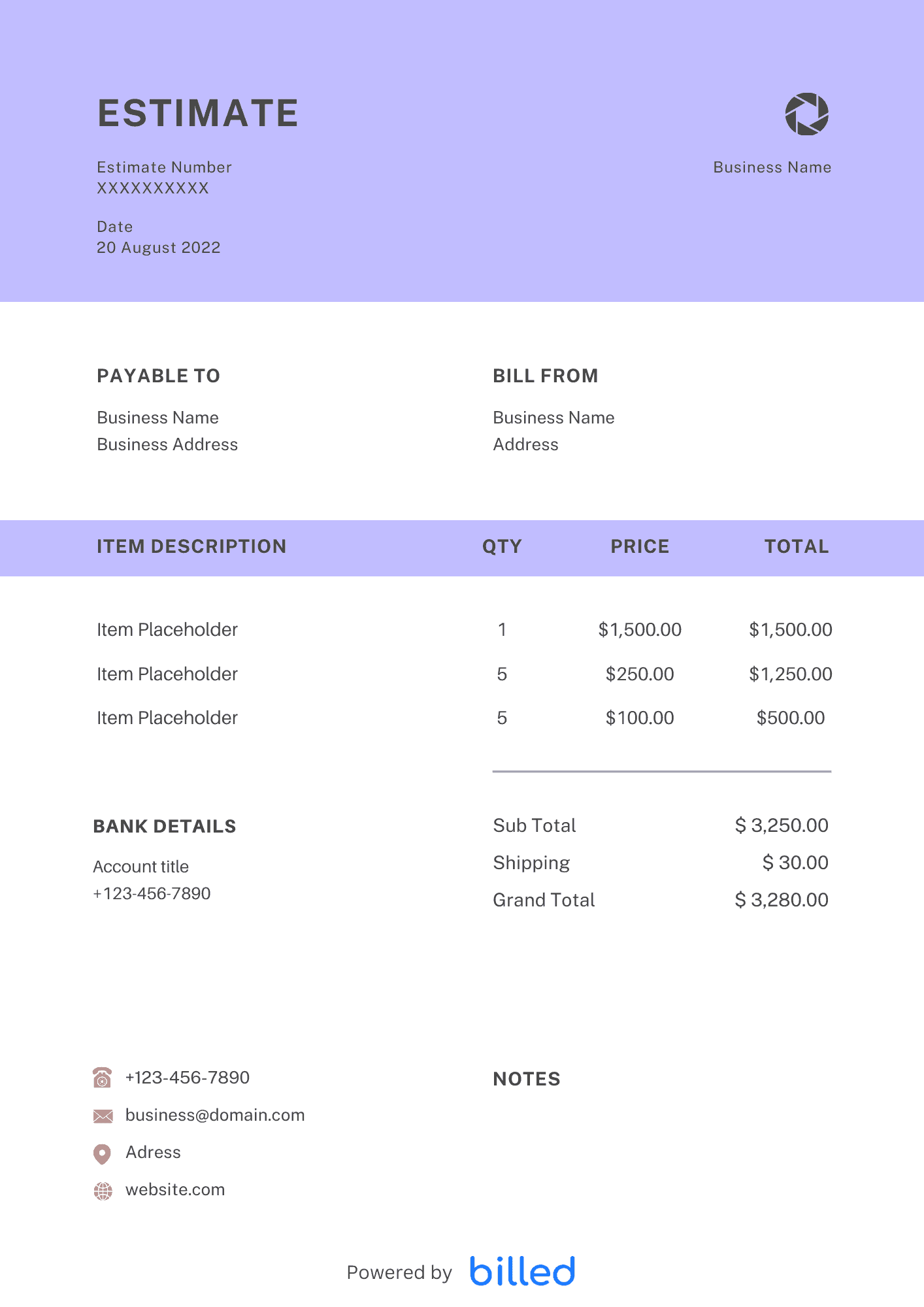
Free Auto Repair Estimate Template
Choose a template variation and download in your preferred format.
Create with Billed
Estimate With Billed
Get started for free and start creating detailed estimates faster.
Create with Billed
Create with Billed
Estimate With Billed
Create detailed and accurate estimates with just a few clicks.
Get Your Free Auto Repair Estimate Template
As a professional auto repair shop owner, creating detailed and professional-looking repair estimates is vital to the success of your business. However, making these estimates can take time and effort, especially when dealing with multiple vehicle repairs.
That’s where our easy-to-use Auto Repair Estimate Template comes in. With our customizable estimate templates, you can create professional-looking and detailed estimates in just a few seconds, freeing up your time to focus on what you do best – repairing cars.
Our beautiful and editable templates are available in various friendly formats and .
What is an estimate?
An estimate is a document in which the contractor presents the transaction details, such as the amount, quantity, process, and period, to the ordering party in advance. The ordering side examines the given estimate’s contents, decides whether to place the order and negotiates the price.
Estimate role
Confirmation of order/contract details Estimates are used to confirm the details before placing an order/contract. By creating an estimate and clarifying the details of the transaction, it is possible to prevent troubles arising from misunderstandings between the ordering party and the receiving party, such as “what is different from what was expected” and “whether it is a high bill.”
Comparison of price and content An estimate is also useful when comparing and considering the purchase of products and services. Comparing the price and content of estimates from multiple companies under the same conditions is called a “competitive estimate.”
Therefore you should use an estimate creation tool like Billed to create an estimate. With the help of our pre-made stylish quote template, anyone can create a good-looking estimate quickly and ideally.
When to create an Estimate
An estimate is usually the first document in a transaction. In “credit transactions” where payment is deferred, an estimate is presented first; once the mutual agreement is reached, orders are placed, delivered, and inspected. After that, the transaction is completed after sending an invoice, paying the price, and issuing a receipt.
What points to pay attention to when creating an estimate
Here are four points to keep in mind when creating an estimate.
Clearly state estimate details and transaction terms
When creating an estimate, it is necessary to provide detailed descriptions to ensure customer understanding.
In particular, we recommend that you clearly describe the work and delivery dates included in the estimated amount and the content expected to develop into trouble later, such as whether or not you need a start-up or intermediate fee, without leaving an ambiguous increase.
Submit earlier than the deadline.
Submitting the estimate earlier than the deadline is a good idea to ensure the opportunity to place an order and increase the order rate.
Submitting earlier than the customer’s desired deadline will give an excellent impression to the other party.
Include the expiration date in the estimate.
Estimates generally have an expiry date.
In order to prevent trouble with customers and encourage them to sign contracts by the deadline, it is necessary to set an expiration date in advance at the stage of creating an estimate.
Consider carefully when setting a delivery date.
If you set a delivery date that is too late, you may feel uneasy because you may feel that your rivals may get ahead of you.
However, if you set an unreasonable delivery date and fail to meet the delivery date, it becomes a big problem.
When setting a delivery date, it is important to fully confirm whether the product can be delivered within that date without any problems to gain customer’s trust.
What is the difference between an estimate and a purchase order?
An estimate is an initial calculation of the expected cost for a product or service. It is typically given by a seller to a potential buyer. It is an approximation and is not legally binding.
A purchase order is an official document sent by a buyer to a seller, indicating their desire to purchase specific goods or services at mutually agreed-upon terms and prices.
Example:
When a customer brings a car to an auto repair shop for a damaged bonnet, the shop provides an estimate that includes labor, parts, and additional services. If the customer agrees, a purchase order is generated, outlining the car details, price, repairs, and terms. This legally binding document ensures clarity and allows the repair work to commence.
How to send the estimate
In general, estimates are presented before a formal contract is signed, but there are various methods for sending estimates.
It may be sent by mail or fax, but it is possible to attach the file by email.
When mailing, please write your name and address on the envelope and add “Estimate included.”
What is the expiration date of the estimate?
There is no fixed one. It depends on the product and service. If the price of the material fluctuates, shorten the expiration date. As much as possible, it is better to add the expiration date.
Estimate making rules
When making an estimate, first calculate a rough amount and present it to the other party.
After that, you will create proposals and specifications to ensure that both parties do not misunderstand and then further squeeze the estimate’s contents.
When presenting the estimate, you must accurately describe the items, quantity, unit price, etc.
What should be included in an estimate
No legal restrictions exist on the items to be written or the estimate format. The purpose of the estimate is to review the transaction terms and decide whether to place an order. Please fill in carefully so that the client, a future business partner, can understand the contents.
**Destination**
We will describe the address, name, store name, etc., of where the estimate will be submitted depending on the size of your company, including the department and name of the person in charge.
**Sender name**
Enter the name of the sender who will issue the estimate.
Ensure that the sender field’s contents conform to the addressee field’s contents.
For example, if only the company name is written in the addressee field, only the company name should be in the sender field.
If you have written the name of the person in charge in the address field, you should also write the name of the person in charge in the sender field.
Also, if you have any concern about the contents of the estimate, it is safe to write down your phone number and email address so that you can contact us immediately.
**Estimated total amount**
The total amount, including tax, will be indicated as the estimated amount.
Write clearly and in a large size where everyone can see it.
**Item name**
Enter the product name or service name to be provided as the item name.
Number
State the quantity to be provided for each item.
For services where it is difficult to describe the quantity or unit, omit it or describe it as “one set.”
The subtotal amount and the total amount
Enter the sum of the total amount for each item as the subtotal amount.
In the total amount, enter the amount that includes the consumption tax and the subtotal amount.
**The expiration date of the estimate**
The expiration date of the estimate can be described by combining it with the date of submission or issue date of the estimate, either by stating “within __ months after submission” or by stating a specific date such as “by year, month, and day.” Will do.
Contact information for estimate confirmation
To make it easier for customers to contact you, include the following:
- The name of the branch.
- The name of the person in charge.
- The contact information for confirming the contents of the estimate.
Please provide a contact number that can be contacted immediately if there is an error in the content.
How to make an Auto Repair Estimate?
Creating an auto repair estimate involves considering various transaction conditions to make informed decisions about accepting the order. While there is no specific format, certain essential items should be included:
- Download a free Auto Repair Estimate Template from a trusted source like Billed.
- Title the document as “Estimate.”
- Specify the date of the estimate’s issuance.
- Clearly list the products and services to be estimated and their respective quantities.
- Indicate the unit price for each item and calculate the total amount for the products and services being estimated.
- Determine the expected delivery date for the quoted products and services.
- Set an expiration date for the estimate, ensuring it remains valid for a reasonable duration.
- Include the submitter’s company name, address, phone number, and other contact details.
- Optionally, affix the submitter’s company seal to provide a professional touch.
You can create a comprehensive and professional auto repair estimate by following these steps and including the necessary information.
Skip the Templates — Create Estimates Online
Why download templates when you can create professional estimates online with Billed? Customize, send, and get paid — all in one place.
No credit card required. Cancel anytime.
How To Create Your Estimate With Billed
Get started in minutes with three simple steps.
Sign Up Free
Create your free Billed account in seconds. No credit card required.
Customize Template
Choose and customize your estimate template with your business details.
Send & Get Paid
Send your professional estimate to clients and get paid faster.
Related Articles
Learn more about creating professional estimates for your business.
Ready To Create Your Estimate?
Join thousands of businesses using Billed to create professional estimates and get paid faster.
No credit card required. Cancel anytime.