
Free Editable Invoice Template
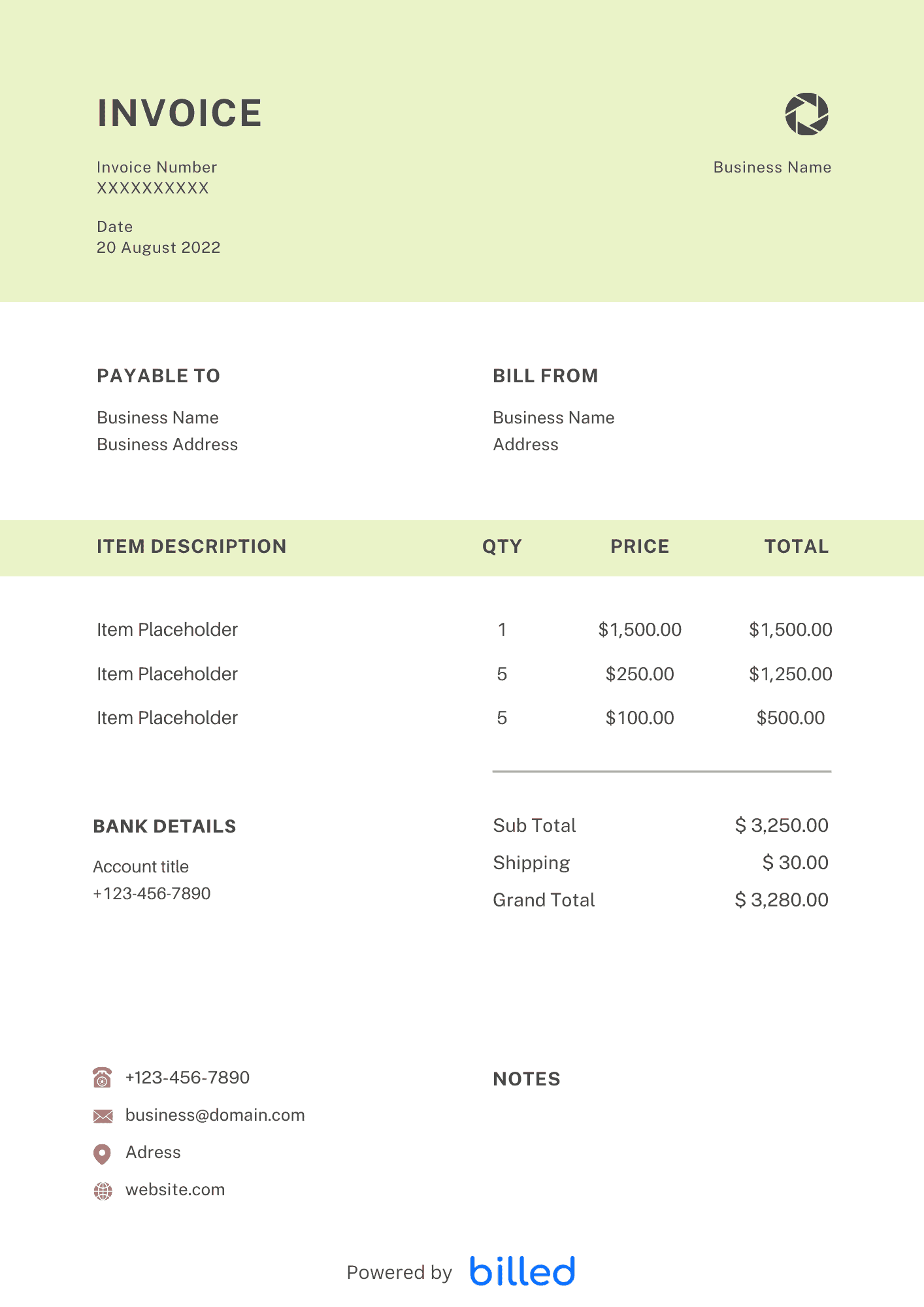
Free Invoice Template Billed is the easiest and quickest way to issue invoices to your clients
No credit card required. Cancel anytime.
Key Features
Everything you need in a professional invoice template.
Invoice Templates
Choose a template variation and download in your preferred format.
Word
Download this word template from Billed, to make your work easier. Just fill out the required fields and issue a stylish and professional invoice in seconds. Feel free to download this editable invoice tempalte.
Download:
Excel
With this stylish invoice template, you can easily create unlimited branded and detailed invoices. This template contains all the necessary fields. Here you enter the value, the net amount and sales tax are calculated automatically.
Download:
Google Docs
Looking for Google Docs invoice template? Download free this easy to use and a professional invoice template, ready to use. All you need to do is fill out it and send it to your customer.
Download:
Google Sheets
To make your billing fast and easy by downloading this google sheets templates from Billed. Download, customize, send, and get paid immediately.
Download:
Create professional detailed invoices in seconds with this PDF invoice template. Download, customize, and send invoices via Billed, mail, or email them directly. Get paid quickly in the right way. Enjoy a 30-days free trial. * Which Format Should I Use? * Benefits of Using Templates * Templates by Industry * Is Each Template Free? * A Better Alternative * Free Invoice Template vs. Billed Invoice Software * Easy To Customize ## Which Format Should I Use? With an increasing number of invoice templates, choosing the perfect invoice template that suits you can become a real challenge. In order to pick the right option, you need to think about your real needs and understand your billing process. In day-to-day operation, this section matters because clients reading the invoice are scanning for a small set of cues — what was delivered, when, how much, and how to pay — and any field that goes missing or is unclear creates a back-and-forth that delays payment. Keep the language plain, the numbers visible, and the next step (Pay Now / Confirm) one click away. If you set up these sections once as a saved template, every future invoice ships in seconds with the same clean structure rather than getting rebuilt from scratch each time.
Download:
Create with Billed
Get Your Free Invoice Template
There are things in the life of a self-employed person that can undoubtedly be called annoying. One of them is creating invoices. If you have a lot of orders and little time to manage your finance, then you are exactly right with us. Download free invoice templates from Billed, with the help of our stylish and flexible invoice templates you can quickly create a proper invoice that meets all your business needs.
Our templates are available in various formats Google docs, and .
Benefits of Using Templates
There are many reasons to have your invoice templates. The most important thing is probably that you can completely devote yourself to your day-to-day business with professional, customized invoice templates and do what you do best – and even more effectively than before.
By having professional electronic invoices you can enjoy many advantages. Some of them are as follows.
- Invoice templates are free to use
- Leave a professional impression on your clients
- Download the free invoice template in various formats like PDF, .DOC, .XLS. CSV and more
- Customize invoice template fields to add your business name, and contact details
- Organize client account details
- Very handy at the time of filing the tax
Try Billed to avoid invoicing mistakes. Sign up for the one-month free trial today and enjoy your business dealing quickly and effortlessly.
In day-to-day operation, this section matters because clients reading the invoice are scanning for a small set of cues — what was delivered, when, how much, and how to pay — and any field that goes missing or is unclear creates a back-and-forth that delays payment. Keep the language plain, the numbers visible, and the next step (Pay Now / Confirm) one click away. If you set up these sections once as a saved template, every future invoice ships in seconds with the same clean structure rather than getting rebuilt from scratch each time.
Templates by Industry
- Graphic Design Template
- Contractor Template
- Photography Template
- Web Design Template
- Video Production Template
- Hotel Template
- Attorney Template
- Auto Repair Template
- Painting Template
- Construction Template
If your profession is not on the list. Just get started with our free sample invoice templates for all types of business.
Download the required type of invoice that’s best suits your business, customize, issue, and get paid quickly and accurately.
Even More Free
- Self Employed invoice template
- Freelance invoice template
- Hourly invoice template
- Business invoice template
- Services Rendered invoice template
- Blank invoice template
- Printable invoice template
In day-to-day operation, this section matters because clients reading the invoice are scanning for a small set of cues — what was delivered, when, how much, and how to pay — and any field that goes missing or is unclear creates a back-and-forth that delays payment. Keep the language plain, the numbers visible, and the next step (Pay Now / Confirm) one click away. If you set up these sections once as a saved template, every future invoice ships in seconds with the same clean structure rather than getting rebuilt from scratch each time.
Is Each Template Free?
Certainly, all our invoice templates are 100% free. Download, fill out the blank fields and get paid before your expectations.
Take the advantage of a free 30 days trial and start creating professional invoices, set recurring invoices, issue an automated reminder, overdue payments, and many more. Now it’s time to save your time and money.
In day-to-day operation, this section matters because clients reading the invoice are scanning for a small set of cues — what was delivered, when, how much, and how to pay — and any field that goes missing or is unclear creates a back-and-forth that delays payment. Keep the language plain, the numbers visible, and the next step (Pay Now / Confirm) one click away. If you set up these sections once as a saved template, every future invoice ships in seconds with the same clean structure rather than getting rebuilt from scratch each time.
A Better Alternative
As a small business person, you can find invoicing a tool that helps you improve your processes by giving a better and faster response to your customers.
Create professional and detailed invoices quickly and easily for your business from Billed.
Download now saves your time and energy.
Set It and Forget It with Recurring Invoices
It’s time to bill your clients with professional and functional invoices instead of formatting invoices manually or complicated spreadsheets. Put your invoicing on autopilot and run your business more smoothly and effortlessly.
Accept Payments Online and Get Paid Faster
In times of tight competition in the market, a delay in payments can cause a real panic. Control your customers’ payments by sending online invoices and get paid quickly and effortlessly.
Safely Store Information on the Cloud
When it comes to keeping your official information safe and secure, it is essential to emphasize the importance of back-ups. With them, electronic copies of all your data are created, granting access, even if the original file is lost or corrupted
Free Invoice Template vs. Billed
Still, need somewhat more convincing? The advantages of sending bills on the cloud are infinite. Look at this correlation.
Features:
- Printer-friendly
- Free to bill your clients
- Collect quickly, safely and securely online credit card payment on your invoice
- Add payment terms, automate due payment reminder & charges
- Keep track of who’s made the payment and who has not paid yet
- Easily and quickly set up deposits for services
- Automate invoices for recurring services and subscription-based services
- Create and issue custom invoice in seconds
- Create and issue issue invoices from your cell, whenever and wherever business takes you
In day-to-day operation, this section matters because clients reading the invoice are scanning for a small set of cues — what was delivered, when, how much, and how to pay — and any field that goes missing or is unclear creates a back-and-forth that delays payment. Keep the language plain, the numbers visible, and the next step (Pay Now / Confirm) one click away. If you set up these sections once as a saved template, every future invoice ships in seconds with the same clean structure rather than getting rebuilt from scratch each time.
Easy To Customize
Take your business to the next level by customizing invoices for your customers. By taking care of the details, you can create an invoice that allows you to get paid quickly and accurately.
Fill in Company and Contact Details: Adding your business name, your brand, address, and contact details are basic among the necessary aspects of an invoice. You as a freelancer can use a personal name, otherwise, enter the company name.
Customer details Add the name of the customer and contact details who will receive the invoice
Include Descriptions and Rates of Services This description must be executed precisely.
Add the list of the products or services you provided, the prices, and quantities of each product supplied.Add Date It is essential that you add the date on which an invoice is issued because it is a clear incentive for the amount to be paid by the customer on time.
Invoice due date This date specifies the duration between the issuance and the due date of the invoice.
Add Sales Tax It is important to specify on the invoice the tax data. If you are self-employed and provide a professional service to a company, do not forget to add a personal income tax on the invoice.
Note Terms Notify when the invoice is due and be clear if there are late fees or discounts
Skip the Templates — Create Invoices Online
Why download templates when you can create professional invoices online with Billed? Customize, send, and get paid — all in one place.
No credit card required. Cancel anytime.
What's included in this invoice template
| Feature | Included |
|---|---|
| Professional clean layout ready for immediate use | Included |
| Automatic total calculation with tax and discount fields | Included |
| Customizable company branding and logo placement | Included |
| Payment method and banking details section | Included |
| Multiple line items with description, quantity, and rate columns | Included |
How we built this template. We reviewed 4+ of the most common billing questions Free Editable Invoice Template ask and mapped each answer to a specific invoice field. The template structure reflects what paid invoices look like — not what a generic template generator would output. For each comparison or claim, we cross-referenced at least one primary source (the vendor's pricing page, an official government dataset, or a published industry report) and noted where the source disagrees with widely-cited secondary numbers. Where source figures change frequently (tax rates, vendor pricing tiers, regulatory thresholds), we flag the data point so it can be re-verified at the start of each filing or fiscal period.
When this isn't for you
If you are running on an ERP (NetSuite, SAP, Oracle) or industry billing suite (medical, construction PM, law practice management), use that system's built-in invoicing. A standalone template creates a reconciliation problem rather than solving one. This template is built for solo operators and small teams that bill directly. Operationally, the structure here breaks down once you cross the threshold of having a dedicated finance/billing team, multi-entity consolidation needs, or a regulated payer environment that mandates specific claim or billing formats. In those cases, treat this as background context and follow your platform's or payer's required workflow rather than a generic best-practice template. For teams under 20 people doing direct-to-client billing, this remains the right starting point — the rubric breaks at the enterprise/ERP boundary, not at small-team scale.
How To Create Your Invoice With Billed
Get started in minutes with three simple steps.
Sign Up Free
Create your free Billed account in seconds. No credit card required.
Customize Template
Choose and customize your invoice template with your business details.
Send & Get Paid
Send your professional invoice to clients and get paid faster.
Frequently Asked Questions
Common questions about this invoice template.
Related Articles
Learn more about creating professional invoices for your business.
Ready To Create Your Invoice?
Join thousands of businesses using Billed to create professional invoices and get paid faster.
No credit card required. Cancel anytime.