
Hourly Invoice Template
Hourly Invoice Template Streamline your invoicing process and get paid promptly with our user-friendly hourly invoice template
No credit card required. Cancel anytime.
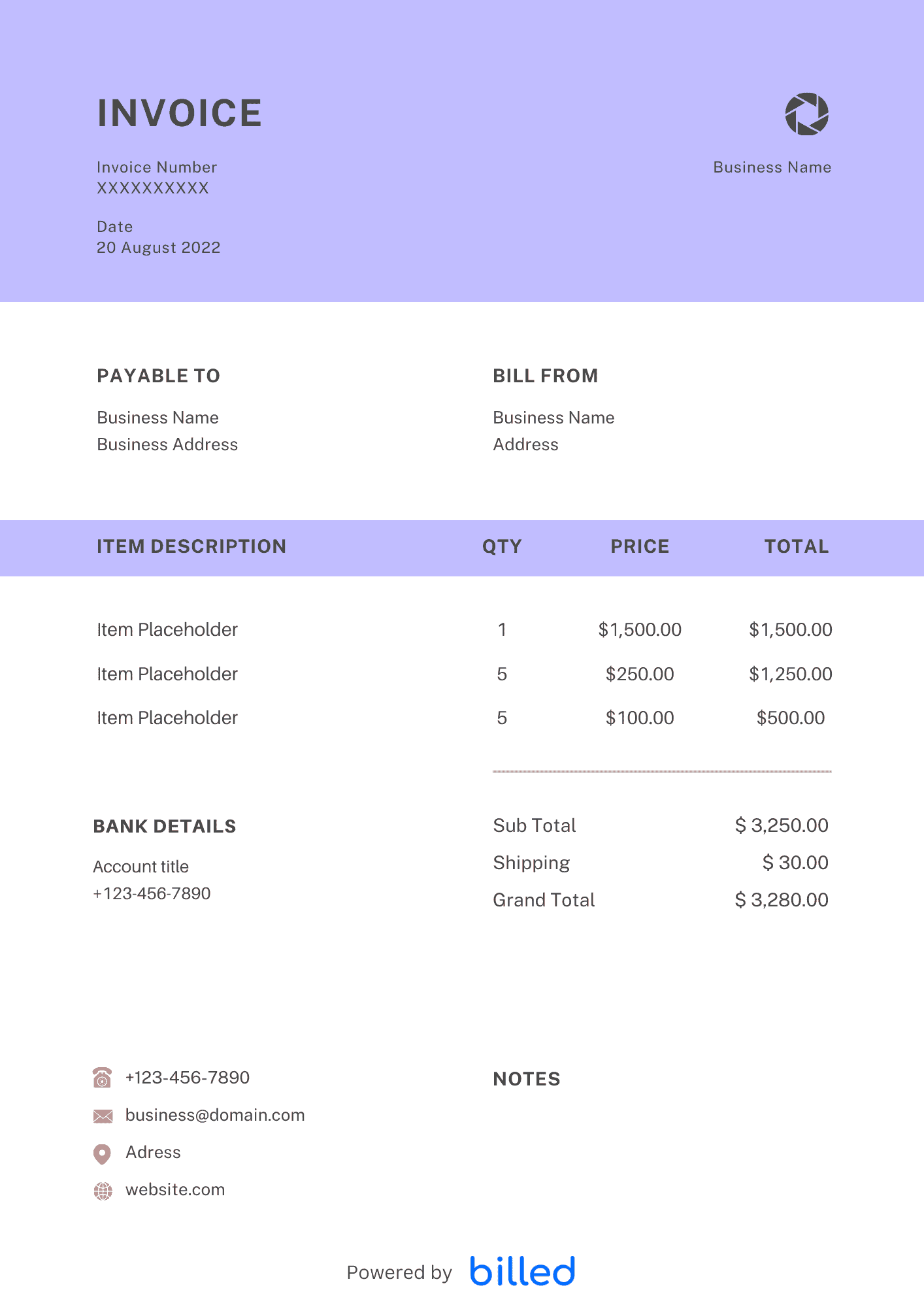
Create with Billed
Get Your Free Hourly Invoice Template
If you want to charge your clients at an hourly rate. Then you need a professional and detailed invoice that fits your style. Download the free hourly invoice template from Billed, create branded invoices for your business in seconds, and get paid promptly and properly.
Download the templates for free and start sending the professional invoices today.
With our free downloadable templates, you can quickly create detailed invoices in , and .
How to Use an Hourly Invoice?
First, free download the hourly invoice template from Billed and create a simple time-based customizable invoice. Do not forget to add a unique invoice number to track the invoice and payment easily. You have to include the list of services you have provided, your hourly charges, amount of time spent at the workplace, client name and address, business contact information, the terms of the invoice, invoice issuance date, and payment due date.
Here’s how to use a time-based invoice:
- Download a standard hourly invoice template from Billed.
- Customize your template by adding your business name, logo, and contact information. This personalization helps establish your brand identity.
- Generate a unique invoice number for each invoice to facilitate easy tracking and organization.
- Include your client’s information, such as their name, business name, and billing address, to ensure accurate delivery and payment processing.
- Clearly state the due date and payment terms, specifying how and when the client should submit their payment to avoid delays.
- Provide a comprehensive list of the services you have rendered to the client. Make sure to include sufficient details about each service rather than just listing their names.
- Specify the hourly rate for each service, clearly communicating the cost associated with your expertise and time.
- Quantify the quantity purchased in hours, indicating the amount of time spent on each service to provide transparency.
- Calculate the total cost by multiplying the hourly rate by the hours spent on each service. This ensures your clients know the exact amount they owe.
- Send invoice to a client via Billed, by email, or direct mail.
Billed wants to facilitate every individual who wants to run its business smoothly. With our stylish and customizable hourly invoice template, you can easily add all the details of your services that help your clients know exactly what has been charged to their accounts and avoid confusion.
When is the right time to send an hourly invoice to your clients?
Determining the ideal time to send an hourly invoice to your clients depends on the nature and duration of your services. Consider the following guidelines for timely invoicing:
For short-term projects: If you provide services for a brief duration, such as a one-time job or project, sending the invoice upon completion is standard practice. This ensures that you promptly receive payment for your work.
For longer employment periods: As a self-employed professional seeking consistent revenue, it’s advisable to establish a regular billing schedule for longer employment periods. Consider sending bi-weekly or monthly invoices to accurately capture your hourly work and maintain a steady cash flow.
Whichever payment frequency you choose, specify each invoice’s payment terms. This includes indicating the agreed-upon billing period and clearly outlining the portion of the total cost paid to date, providing transparency for both you and your client.
By adhering to these practices, you can effectively manage your invoicing process, maintain a healthy financial flow, and ensure you are paid promptly for your hourly services.
How to Fill Out the Hourly Invoice Template?
You, as a small business owner, need to choose the perfect invoice template for your business. If your company charges your clients hourly rates, you must consider using our hourly service invoice template.
With the help of our significant stylish and customizable hourly invoice template, you can easily create the perfect invoice. There are some major features that you should have on your hourly invoice to make sure that your client pays all dues quickly and properly.
Your business information: Be sure to add your business name, brand, logo, and contact details
Invoice number: Adding a unique invoice number helps you that the income is correctly documented for filing the tax and accounting process. You can also track payments efficiently.
Client information: Add your client’s name and contact details
Due date and payment terms: Add your terms and conditions of payment, as well as the due date and how the client wants to submit the payment
Services provided: Add all the precise details of your services to avoid confusion.
Hourly rate: Mention your hourly charges for each service
Quantity purchased (in hours): Add how many hours you spent performing each listed service.
Total cost: Let your clients know precisely how much they owe to your business
Download a standard hourly invoice template from Billed and start creating professional and detailed invoices today.
Skip the Templates — Create Invoices Online
Why download templates when you can create professional invoices online with Billed? Customize, send, and get paid — all in one place.
No credit card required. Cancel anytime.
How To Create Your Invoice With Billed
Get started in minutes with three simple steps.
Sign Up Free
Create your free Billed account in seconds. No credit card required.
Customize Template
Choose and customize your invoice template with your business details.
Send & Get Paid
Send your professional invoice to clients and get paid faster.
Frequently Asked Questions
Common questions about this invoice template.
Related Articles
Learn more about creating professional invoices for your business.
Ready To Create Your Invoice?
Join thousands of businesses using Billed to create professional invoices and get paid faster.
No credit card required. Cancel anytime.