
Law Firm Invoice Template: Free Template & Guide
Law Firm Invoice Template Get paid faster for your legal services with the best Law Firm Invoice Template of Billed
No credit card required. Cancel anytime.
Key Features
Everything you need in a professional invoice template.
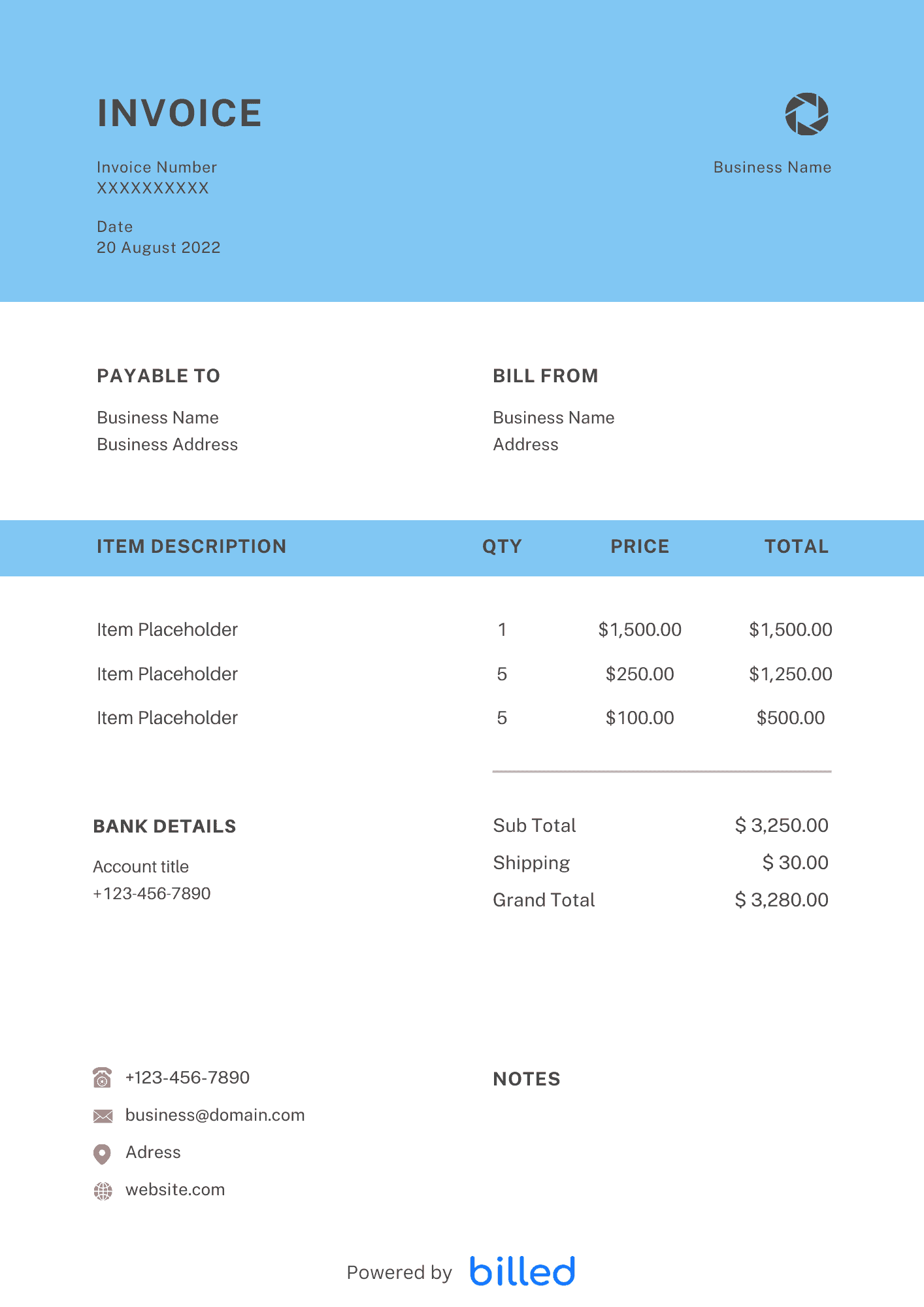
a Law Firm Invoice Template
Choose a template variation and download in your preferred format.
Create with Billed
Get Your Free Law Firm Invoice Template
To earn a profit, the law firm provides legal services to its clients. So it needs to track every unit of time that spend on a particular piece of work for its client.
With the help of professional invoice templates from Billed, you can quickly send detailed and well-organized invoices in seconds. This powerful invoicing software helps you get the charges of your legal advisory quickly and professionally.
Our free downloadable templates are very handy for all lawyers, from criminal advocates to a notary. Moreover, our invoice templates ready to create invoices in , .
What Is a Law Firm Invoice Template Used For?
The law firm works as a partnership, and it generates income through its objectives and individual strategies. Whenever a law firm needs the clients to release the payable amount, it needs to send the detailed and professional law firm invoice template.
Law firm invoices work as a powerful accounting tool for legal practices. The law firm invoices empower the firm to quickly trail its hourly charges and easily analyze its financial condition.
In day-to-day operation, this section matters because clients reading the invoice are scanning for a small set of cues — what was delivered, when, how much, and how to pay — and any field that goes missing or is unclear creates a back-and-forth that delays payment. Keep the language plain, the numbers visible, and the next step (Pay Now / Confirm) one click away. If you set up these sections once as a saved template, every future invoice ships in seconds with the same clean structure rather than getting rebuilt from scratch each time.
Invoice Types for Lawyers
As a lawyer, you have to bill your clients with the different types of invoices so that you could get paid immediately and ideally.
For your easement, Billed facilitates you with the following types of invoices.
Standard Invoice: It is a simple way of billing; as a lawyer, you can easily include all the descriptions of the services provided, including the fee, payment procedure, due date, etc.
Time-Based Invoice: With the help of a time-based invoice, you can add all your services provided along with the hourly rate or the amount of time you spent on the case.
Recurring Invoice: A recurring invoice enables the lawyers to bill their clients for the same services every month.
Prepayment Invoice: A prepayment invoice is convenient if you want to bill your clients for a security fee or full payable amount before providing your services
Interim Invoice: As a lawyer, you have to work on long-term cases. An interim invoice is convenient to charge your clients for partial payment that corresponds to the work done to that point.
Final Invoice: After completing the case, you can easily bill your clients with the final invoice’s help. It contains all the details of the total amount that is still payable.
How to Create a Law Firm Invoice?
Creating the law firm invoice with Billed is a matter of a few seconds. Follow the given steps and get your desired law firm invoice.
Download the free law firm invoice from Billed.
Add your firm logo in different fonts and sizes
Add your firm’s name and basic contact details
Add the client’s name and basic contact details
Enter the unique invoice number
Add invoice issuance date
Add the payment due date
Add the details of the services provided and the cost for each
Add billable hours
Calculate the total amount
Enter the terms of payments
Add private policy if any
Save
Send via Billed or email, etc.
In day-to-day operation, this section matters because clients reading the invoice are scanning for a small set of cues — what was delivered, when, how much, and how to pay — and any field that goes missing or is unclear creates a back-and-forth that delays payment. Keep the language plain, the numbers visible, and the next step (Pay Now / Confirm) one click away. If you set up these sections once as a saved template, every future invoice ships in seconds with the same clean structure rather than getting rebuilt from scratch each time.
Skip the Templates — Create Invoices Online
Why download templates when you can create professional invoices online with Billed? Customize, send, and get paid — all in one place.
No credit card required. Cancel anytime.
What's included in this invoice template
| Feature | Included |
|---|---|
| Attorney and paralegal time entries with billable hour tracking | Included |
| Matter and case number reference fields for trust accounting | Included |
| Retainer balance display with draw-down tracking | Included |
| Court filing, service, and expert witness fee pass-through items | Included |
| LEDES and UTBMS billing code support for corporate clients | Included |
How we built this template. We reviewed 4+ of the most common billing questions Law Firm Invoice Template ask and mapped each answer to a specific invoice field. The template structure reflects what paid invoices look like — not what a generic template generator would output. For each comparison or claim, we cross-referenced at least one primary source (the vendor's pricing page, an official government dataset, or a published industry report) and noted where the source disagrees with widely-cited secondary numbers. Where source figures change frequently (tax rates, vendor pricing tiers, regulatory thresholds), we flag the data point so it can be re-verified at the start of each filing or fiscal period.
When this isn't for you
If you are running on an ERP (NetSuite, SAP, Oracle) or industry billing suite (medical, construction PM, law practice management), use that system's built-in invoicing. A standalone template creates a reconciliation problem rather than solving one. This template is built for solo operators and small teams that bill directly. Operationally, the structure here breaks down once you cross the threshold of having a dedicated finance/billing team, multi-entity consolidation needs, or a regulated payer environment that mandates specific claim or billing formats. In those cases, treat this as background context and follow your platform's or payer's required workflow rather than a generic best-practice template. For teams under 20 people doing direct-to-client billing, this remains the right starting point — the rubric breaks at the enterprise/ERP boundary, not at small-team scale.
How To Create Your Invoice With Billed
Get started in minutes with three simple steps.
Sign Up Free
Create your free Billed account in seconds. No credit card required.
Customize Template
Choose and customize your invoice template with your business details.
Send & Get Paid
Send your professional invoice to clients and get paid faster.
Frequently Asked Questions
Common questions about this invoice template.
Related Articles
Learn more about creating professional invoices for your business.
Ready To Create Your Invoice?
Join thousands of businesses using Billed to create professional invoices and get paid faster.
No credit card required. Cancel anytime.