
Past Due Invoice Template: Free Template & Guide
Past Due Invoice Template Quickly generate an invoice your clients will happily pay with our user-friendly past-due invoice template
No credit card required. Cancel anytime.
Key Features
Everything you need in a professional invoice template.
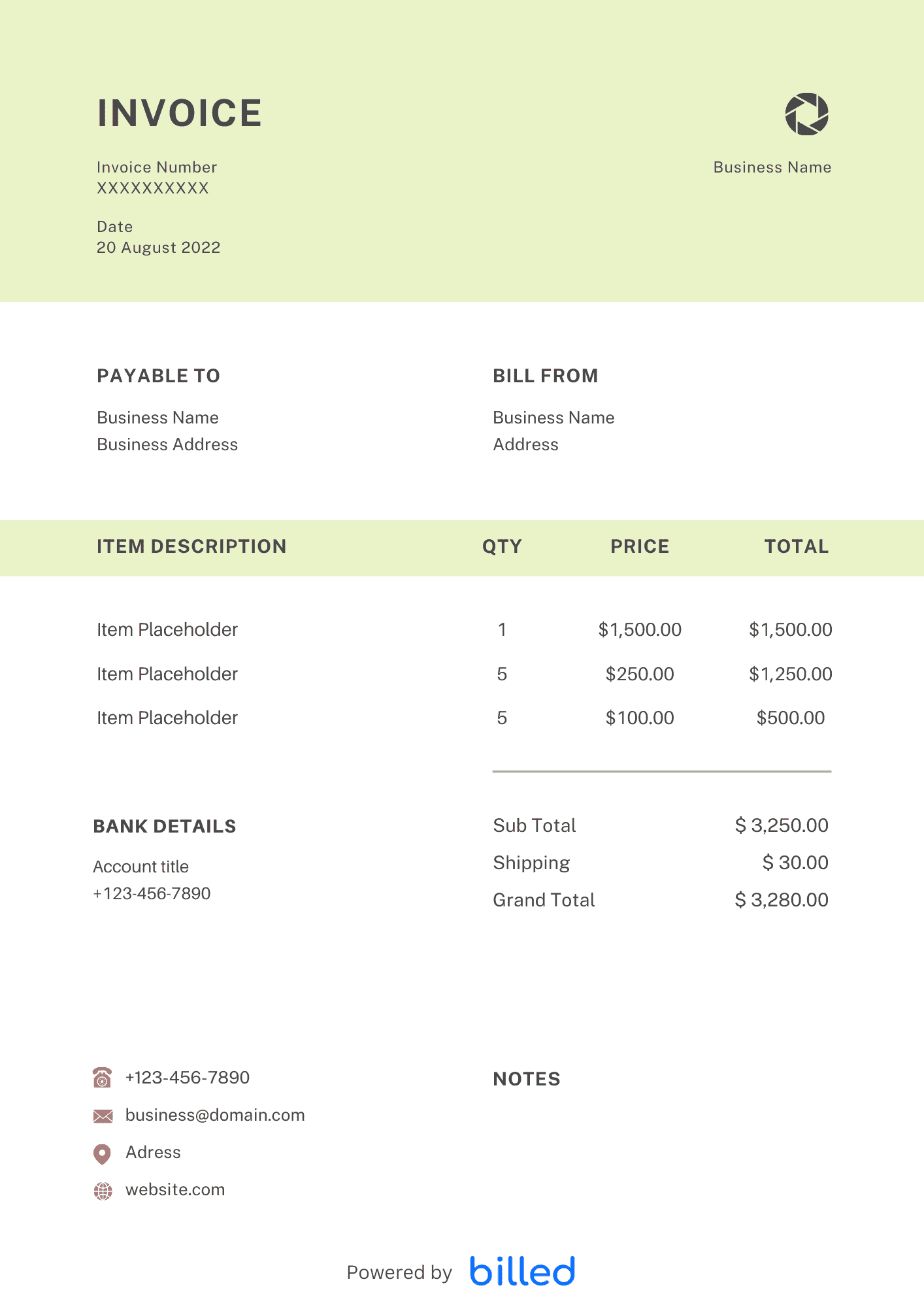
Past Due Invoice Template
Choose a template variation and download in your preferred format.
Create with Billed
Get Your Free Past Due Invoice Template
You put your heart and soul into your business, giving it your all daily. Whether you’re selling a product or providing a valuable service, it’s only fair that you receive prompt and complete payment for your hard work.
Unfortunately, in the real world, customers don’t always pay their bills on time. This can leave you with a growing stack of overdue invoices, forcing you to spend precious hours each month chasing down those payments.
Say goodbye to the endless follow-up and countless unpaid bills with a free past-due invoice template from Billed. Our templates are designed to simplify your life; they come in convenient formats such as , XLS, or . Head to our main page to explore our fantastic free invoice templates.
It’s time to reclaim your valuable time and get your deserved payments
What Is a Past Due Invoice Used For?
Are unpaid invoices piling up, causing stress and wasting your precious time? It’s time for a major shift. Enter Billed’s past due invoice template—the ultimate solution to help you manage outstanding client accounts effortlessly.
No more drowning in paperwork or losing track of unpaid invoices. Our template allows you to easily organize client data, keep tabs on overdue invoices, send friendly reminders, and collect payment on your terms. In just a few minutes, you can generate a sleek, professional-looking invoice that impresses your clients and gets you paid faster.
Say goodbye to the chaos of handwritten invoices and the cluttered mess of digital folders. Our template keeps everything neatly organized in one place, ensuring you have the information you need at your fingertips when it’s time to send out a new invoice.
The benefits of using our template are numerous:
- Stay on top of past-due balances effortlessly.
- Get paid for overdue invoices within minutes.
- Keep client account information well-organized.
- Enjoy the convenience of quick and free billing.
- PDF and printer-friendly formatting for hassle-free usage.
- Have all the necessary information at hand for tax time.
Don’t let unpaid bills hold you back. Take control of your invoicing process with our past due invoice letter template, and make following up on those overdue payments a breeze.
Experience the power of streamlined invoicing with Billed today!
Types of Past Due Invoices
Regardless of your business line, unpaid bills can be a real headache for your accounting. Whether you’re an artist, handyman, auto repair shop owner, or lawyer, we all know how to deal with clients who still need to pay their invoices.
Luckily, Billed saves the day with our user-friendly and customizable templates. Creating the perfect past-due invoice for your business has always been challenging. Take a look at some examples of the types of invoices you can create:
- Deposits
- Net-30
- Monthly retainers
- Hourly work
- Per-project billing
- Payment for goods
No matter what kind of invoice your business requires, our templates have got you covered. With blank fields ready to fill in, you can easily customize the invoice to meet your needs.
Simply enter your information and your client’s details, list all the goods and services provided with their respective prices, and voila! Your completed invoice is ready to be sent within minutes. You have the flexibility to send it through Billed, email, or even traditional postal mail using the same template.
Say goodbye to those lingering past-due accounts that keep nagging at you. Download our free overdue invoice template today and start collecting on those unpaid bills. It’s time to take control of your finances and get what you’re owed.
How to Create a Past Due Invoice?
Ready to create a compelling past-due invoice that helps you get paid faster? Look no further than the user-friendly past-due bill template from Billed. Follow these straightforward steps to generate professional invoices and reduce your past-due accounts:
- Start by downloading the free “Past Due Invoice Template” from Billed.
- Customize the invoice with your business branding, including your logo, preferred colours, and font.
- At the top of the invoice, provide your name, business name (if applicable), and contact details, making it easy for your clients to reach you.
- Clearly outline your products or services, including a description and price for each item.
- Enter your client’s name, business name, and contact details to ensure accurate delivery.
- Calculate the total amount for the goods or services provided and include it in the invoice’s designated “Total” section.
- Specify the accepted payment methods, making it convenient for your clients to settle their debts.
- Utilize the “Notes” field to describe additional information, such as your privacy policy, refund policy, or other important policies.
- Save your completed invoice for future reference and easy access.
- With the template’s blank fields, you can swiftly fill in the necessary details for each invoice, eliminating the need to start from scratch. Input the client-specific information, and you’re good to go!
No more reinventing the wheel with every invoice. The template saves all your essential information, allowing you to effortlessly send complete and professional invoices.
Start streamlining your invoicing process today with Billed’s past-due invoice template. It’s time to get paid promptly and reduce those past-due accounts.
Some Other Templates
- Musician Invoice Template
- Lawyer Invoice Template
- Landscaping Invoice Template
- Notary Invoice Template
- Mobile App Development Invoice Template
In day-to-day operation, this section matters because clients reading the invoice are scanning for a small set of cues — what was delivered, when, how much, and how to pay — and any field that goes missing or is unclear creates a back-and-forth that delays payment. Keep the language plain, the numbers visible, and the next step (Pay Now / Confirm) one click away. If you set up these sections once as a saved template, every future invoice ships in seconds with the same clean structure rather than getting rebuilt from scratch each time.
Skip the Templates — Create Invoices Online
Why download templates when you can create professional invoices online with Billed? Customize, send, and get paid — all in one place.
No credit card required. Cancel anytime.
What's included in this invoice template
| Feature | Included |
|---|---|
| Prominent overdue status indicator with days past due display | Included |
| Late fee and interest charge automatic calculation | Included |
| Original invoice reference with payment history summary | Included |
| Escalating reminder urgency levels for follow-up notices | Included |
| Updated total with accumulated penalties and original balance | Included |
How we built this template. We reviewed 4+ of the most common billing questions Past Due Invoice Template ask and mapped each answer to a specific invoice field. The template structure reflects what paid invoices look like — not what a generic template generator would output. For each comparison or claim, we cross-referenced at least one primary source (the vendor's pricing page, an official government dataset, or a published industry report) and noted where the source disagrees with widely-cited secondary numbers. Where source figures change frequently (tax rates, vendor pricing tiers, regulatory thresholds), we flag the data point so it can be re-verified at the start of each filing or fiscal period.
When this isn't for you
If you are running on an ERP (NetSuite, SAP, Oracle) or industry billing suite (medical, construction PM, law practice management), use that system's built-in invoicing. A standalone template creates a reconciliation problem rather than solving one. This template is built for solo operators and small teams that bill directly. Operationally, the structure here breaks down once you cross the threshold of having a dedicated finance/billing team, multi-entity consolidation needs, or a regulated payer environment that mandates specific claim or billing formats. In those cases, treat this as background context and follow your platform's or payer's required workflow rather than a generic best-practice template. For teams under 20 people doing direct-to-client billing, this remains the right starting point — the rubric breaks at the enterprise/ERP boundary, not at small-team scale.
How To Create Your Invoice With Billed
Get started in minutes with three simple steps.
Sign Up Free
Create your free Billed account in seconds. No credit card required.
Customize Template
Choose and customize your invoice template with your business details.
Send & Get Paid
Send your professional invoice to clients and get paid faster.
Frequently Asked Questions
Common questions about this invoice template.
Related Articles
Learn more about creating professional invoices for your business.
Ready To Create Your Invoice?
Join thousands of businesses using Billed to create professional invoices and get paid faster.
No credit card required. Cancel anytime.