
Google Docs Receipt Template
Google Docs Receipt Template Now you create detailed and professional-looking receipts in your favorite format like Google Docs with this free Google Docs Receipt Template
No credit card required. Cancel anytime.
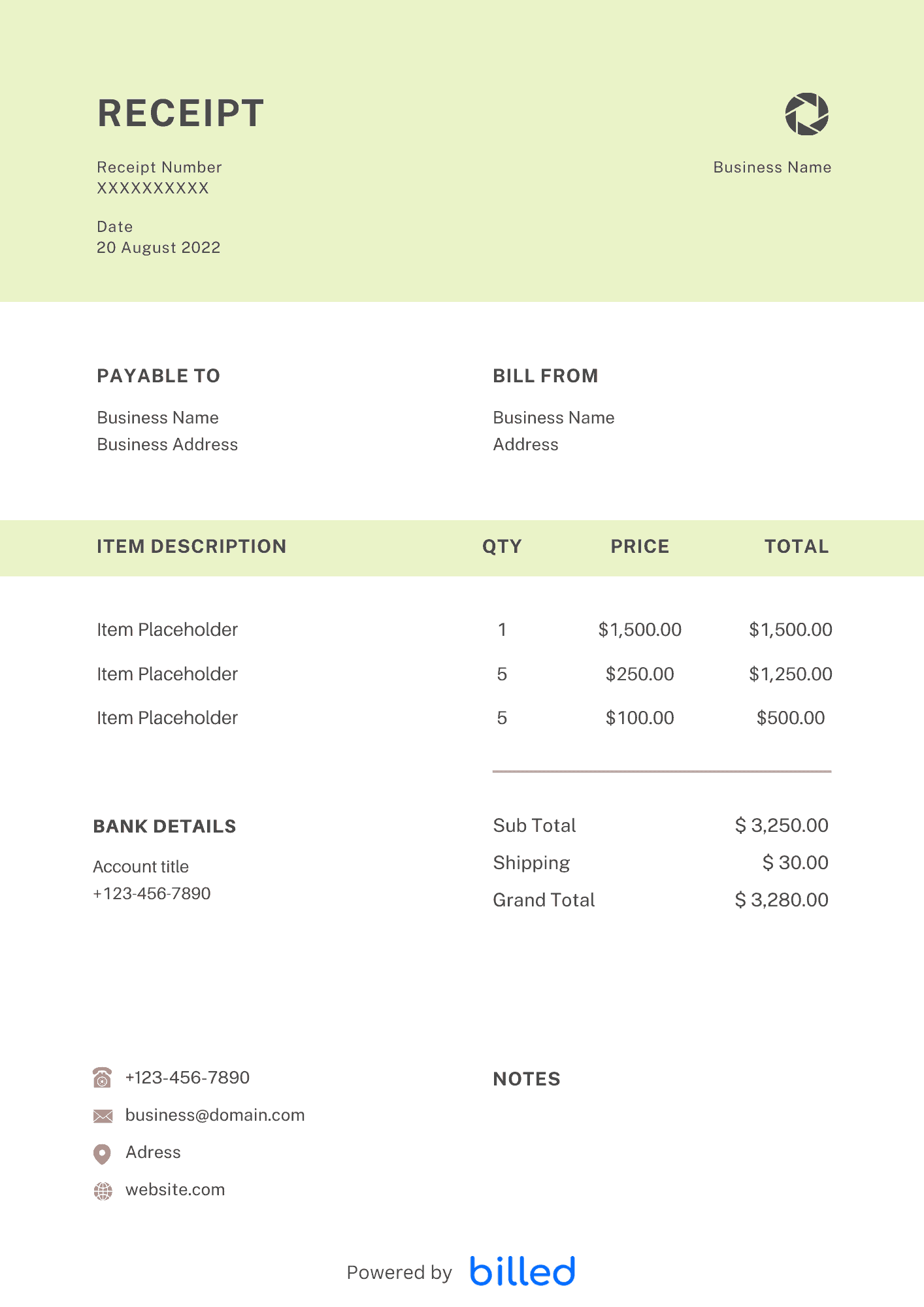
Google Docs Receipt Template
Choose a template variation and download in your preferred format.
Create with Billed
Receipt With Billed
Easily generate professional receipts with our convenient template.
Create with Billed
Receipt With Billed
Create professional-looking receipts with Billed. Get started for free.
Create with Billed
Get Your Free Google Docs Receipt Template
Do you want to issue the requested and required receipts to your clients quickly and correctly?
Download the free Google Docs receipt template from Billed today. Our beautiful and easily-editable receipt templates allow you to create stylish and professional receipts for your customers quickly and ideally.
Our high-quality receipt templates are available in different formats like Google Sheet, and .
Why are receipts necessary?
Thanks to the receipt, you can have valid proof of the payments you can submit to the tax authorities. Thus, the receipt is used as a reference to answer any questions from the tax authorities and will avoid the risk of losing your VAT deduction unnecessarily.
What to include on the Receipt?
As a businessman, you need to issue a perfect printer-friendly receipt that contains the following details.
- The designation “Receipt.”
- A consecutive number
- The net price
- The tax amount and the tax rate of 7% or 19% (or the note on tax exemption
- The gross price (in numbers and words)
- Name and address of the exhibitor
- Name of the Recipient and basic contact details
- Type and quantity of the product sold or type of service
- Place and date of issue
- Signature of the exhibitor (with company stamp, if applicable).
Tips While Writing Receipts
You can easily create a professional and detailed receipt in Docs format. Just follow these tips.
- If you possess a small business, then getting the proper receipt should be yours at your top priority. You can look up our stylish and flexible templates online or may use them as samples while you are creating your own.
- Your official receipt must go with your business. Therefore, be attentive while choosing your template!
- You can not change your official receipt now and then. Hence, while choosing, you need to be 100% sure that this is the format you want for your receipt.
- Once you have selected the desired design for your receipt, you need to add your details to the template that you can do it by downloading and customizing the required template for free.
Benefits of Google Docs Receipt Template
You can get tons of advantages while using a receipt template. Some of them are as follows.
Keeping proper financial record: Accurate financial transactions and recordkeeping is not possible without a detailed receipt. With the help of a receipt, you can easily verify your daily transactions.
For tax and audit teams: With the help of the receipt, you can quickly measure taxes and hand over all the requested information to the tax or audit team.
Avoid confusion: It ensures that all payments are recorded properly and avoid confusion.
Preventing potential scam: Receipt prevents scams. With the help of the receipt, you can quickly come to know when and where the goods or services were purchased.
Why use our Receipt Template?
Don’t waste your energy and valuable time designing complicated and orthodox receipt templates. We offer the best receipts template in Google Docs format, download, and use them so that you could easily take your business to the next level.
- Our templates are free to download
- Friendly formats
- Our templates are easily accessible
- Easy to use
- Stylish
- Editable
- Printable, etc.
How to use our Receipt Template?
If you want to use our stylish receipt templates, then follow the given steps.
- Add your business name, address, and other contacts details
- Add your business logo in different fonts and colors
- Add the amount you receive from the client
- Add your client’s name and the address
- Add the details of goods or services for which you want to generate the receipt
- Review the sample receipt on the screen and print it out with a single click
How to create a Google Docs Receipt?
Follow these simple steps and get your Google Docs receipt in no time.
- Download Google Docs receipt template from Billed for free
- Add your business name, address, and other contact details
- Add your business logo in different fonts and colors
- Add the client’s name and contact details
- Include issuance date
- Add the total received amount made
- Add any other payments like advance or security etc.
- Add payment method
- Sign the receipt
- Save
- Issue
Skip the Templates — Create Receipts Online
Why download templates when you can create professional receipts online with Billed? Customize, send, and get paid — all in one place.
No credit card required. Cancel anytime.
How To Create Your Receipt With Billed
Get started in minutes with three simple steps.
Sign Up Free
Create your free Billed account in seconds. No credit card required.
Customize Template
Choose and customize your receipt template with your business details.
Send & Get Paid
Send your professional receipt to clients and get paid faster.
Related Articles
Learn more about creating professional receipts for your business.
Ready To Create Your Receipt?
Join thousands of businesses using Billed to create professional receipts and get paid faster.
No credit card required. Cancel anytime.