
Appliance Repair Invoice Template
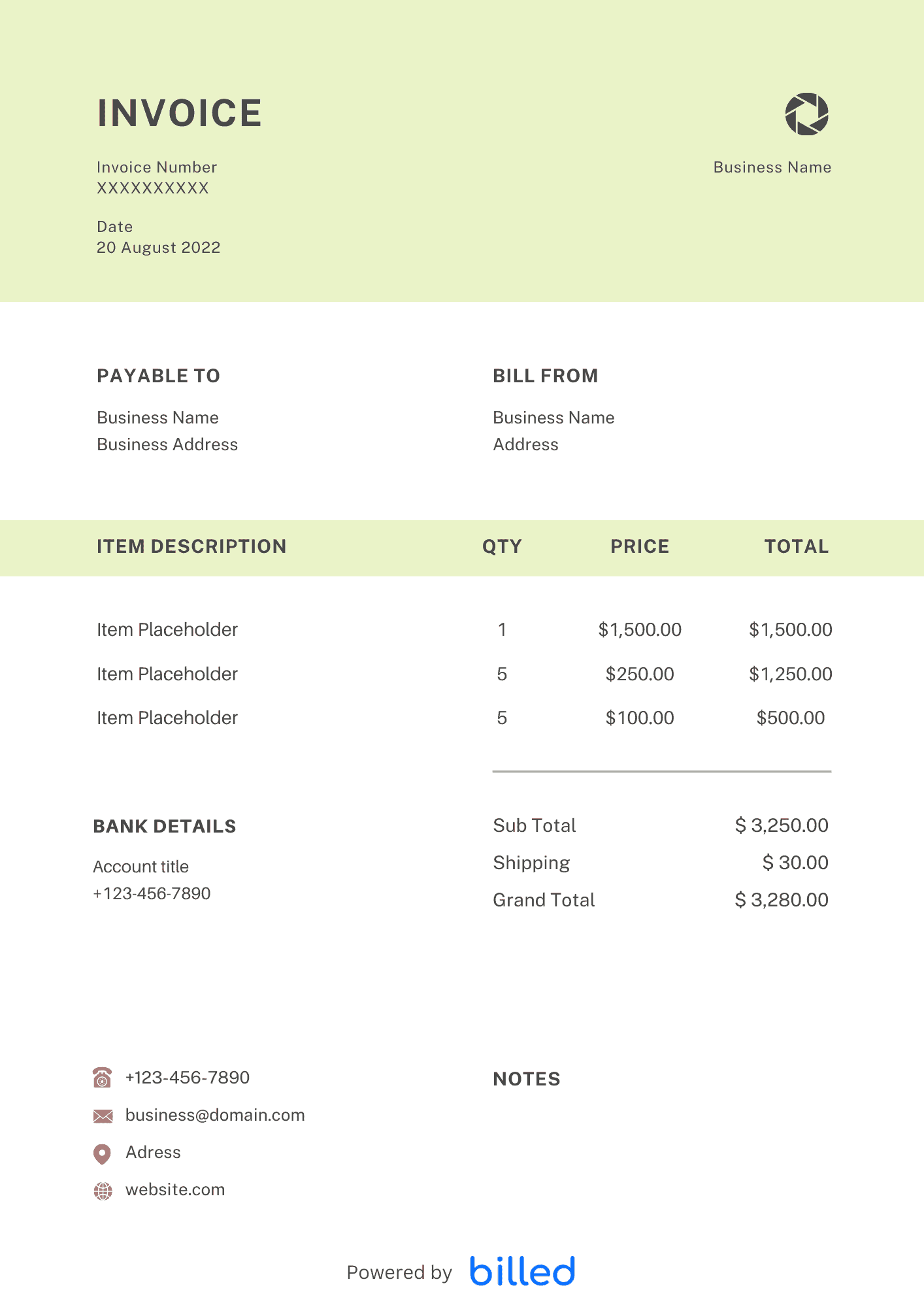
Appliance Repair Invoice Template List diagnosis, OEM parts, and warranty credits clearly
No credit card required. Cancel anytime.
Key Features
Everything you need in a professional invoice template.
Reduce Callback Confusion
When you list model and serial numbers, symptom codes, parts installed, and labor hours, both the homeowner and the manufacturer warranty desk can follow the story. That detail speeds approvals if a part fails within warranty period and you need a supplier credit.
Line Items That Fit the Trade
Include service call or trip fee, diagnostic labor, repair labor, parts with markup disclosure if required, shop supplies, haul-away of old units, and second-technician assistance for heavy pulls. For property managers, add unit numbers and tenant contact rules.
In day-to-day operation, this section matters because clients reading the invoice are scanning for a small set of cues — what was delivered, when, how much, and how to pay — and any field that goes missing or is unclear creates a back-and-forth that delays payment. Keep the language plain, the numbers visible, and the next step (Pay Now / Confirm) one click away. If you set up these sections once as a saved template, every future invoice ships in seconds with the same clean structure rather than getting rebuilt from scratch each time.
Warranty and Partial Coverage
Show manufacturer-covered items at zero or with a note, and customer-pay items at full price when a hybrid claim applies. Transparency avoids disputes when the deductible is higher than expected.
In day-to-day operation, this section matters because clients reading the invoice are scanning for a small set of cues — what was delivered, when, how much, and how to pay — and any field that goes missing or is unclear creates a back-and-forth that delays payment. Keep the language plain, the numbers visible, and the next step (Pay Now / Confirm) one click away. If you set up these sections once as a saved template, every future invoice ships in seconds with the same clean structure rather than getting rebuilt from scratch each time.
Flexible Office Tools
Edit in , or . Billed lets you fire off invoices before you leave the driveway, with optional card readers through your payment processor integration workflow.
Browse electrician, handyman, and invoice templates.
In day-to-day operation, this section matters because clients reading the invoice are scanning for a small set of cues — what was delivered, when, how much, and how to pay — and any field that goes missing or is unclear creates a back-and-forth that delays payment. Keep the language plain, the numbers visible, and the next step (Pay Now / Confirm) one click away. If you set up these sections once as a saved template, every future invoice ships in seconds with the same clean structure rather than getting rebuilt from scratch each time.
Core Returns and Truck Stock
Track core charges on the invoice when suppliers require them for compressors or motors so customers understand refundable deposits. For truck stock parts, reconcile nightly inventory against invoiced items to catch shrinkage early. When a warranty call turns into a non-covered user error, update the invoice before leaving so the customer signs the correct total. Export monthly summaries of parts versus labor to negotiate better distributor tiers.
In day-to-day operation, this section matters because clients reading the invoice are scanning for a small set of cues — what was delivered, when, how much, and how to pay — and any field that goes missing or is unclear creates a back-and-forth that delays payment. Keep the language plain, the numbers visible, and the next step (Pay Now / Confirm) one click away. If you set up these sections once as a saved template, every future invoice ships in seconds with the same clean structure rather than getting rebuilt from scratch each time.
Skip the Templates — Create Invoices Online
Why download templates when you can create professional invoices online with Billed? Customize, send, and get paid — all in one place.
No credit card required. Cancel anytime.
What's included in this invoice template
| Feature | Included |
|---|---|
| Diagnostic fee and service call charge fields with flat-rate options | Included |
| Parts and labor itemization with manufacturer warranty notation | Included |
| Appliance model and serial number tracking per line item | Included |
| Emergency and after-hours surcharge calculation | Included |
| Return visit and follow-up service discount fields | Included |
How we built this template. We reviewed 4+ of the most common billing questions Appliance Repair Invoice Template ask and mapped each answer to a specific invoice field. The template structure reflects what paid invoices look like — not what a generic template generator would output. For each comparison or claim, we cross-referenced at least one primary source (the vendor's pricing page, an official government dataset, or a published industry report) and noted where the source disagrees with widely-cited secondary numbers. Where source figures change frequently (tax rates, vendor pricing tiers, regulatory thresholds), we flag the data point so it can be re-verified at the start of each filing or fiscal period.
When this isn't for you
If you are running on an ERP (NetSuite, SAP, Oracle) or industry billing suite (medical, construction PM, law practice management), use that system's built-in invoicing. A standalone template creates a reconciliation problem rather than solving one. This template is built for solo operators and small teams that bill directly. Operationally, the structure here breaks down once you cross the threshold of having a dedicated finance/billing team, multi-entity consolidation needs, or a regulated payer environment that mandates specific claim or billing formats. In those cases, treat this as background context and follow your platform's or payer's required workflow rather than a generic best-practice template. For teams under 20 people doing direct-to-client billing, this remains the right starting point — the rubric breaks at the enterprise/ERP boundary, not at small-team scale.
How To Create Your Invoice With Billed
Get started in minutes with three simple steps.
Sign Up Free
Create your free Billed account in seconds. No credit card required.
Customize Template
Choose and customize your invoice template with your business details.
Send & Get Paid
Send your professional invoice to clients and get paid faster.
Frequently Asked Questions
Common questions about this invoice template.
Related Templates
Explore more templates for your business.
Related Articles
Learn more about creating professional invoices for your business.
Ready To Create Your Invoice?
Join thousands of businesses using Billed to create professional invoices and get paid faster.
No credit card required. Cancel anytime.