
Work Invoice Template
Work Invoice Template Download the free work invoice template from Billed, create stylish and branded invoices in seconds, and love seeing money transferring in your bank account and knowing it is from another satisfied client
No credit card required. Cancel anytime.
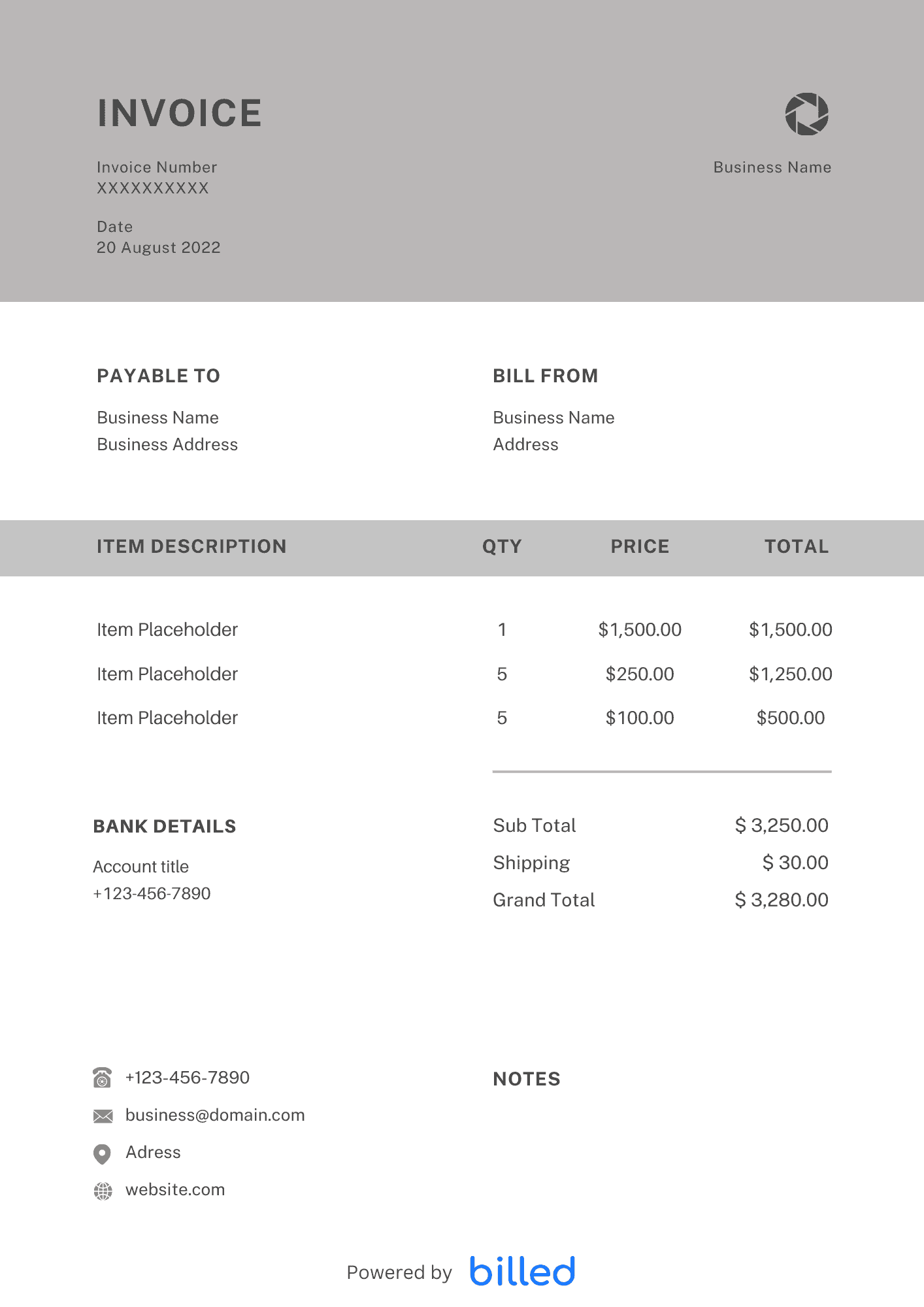
Work Invoice Template
Choose a template variation and download in your preferred format.
Create with Billed
Create with Billed
Get Your Free Work Invoice Template
As a small businessman, you should ensure that your invoicing software meets every aspect of your billing process. Luckily! with free downloadable invoice templates from Billed, you will get the best and powerful invoicing solution for all your financial transactions.
Download the free work invoice templates and get paid faster for all your goods and services in the right way flawlessly.
Our professional-looking and customizable invoice templates are available in various friendly formats
What is a Work Invoice Used for?
- With the help of an invoice, you can easily manage your business’s regular cash flow and ease your accounting stress.
- A proper invoice empowers you to get paid for all your products and services conveniently.
- Paper bookkeeping is not only a headache for you but also easy to lose; an online invoice streaming eliminates your stress and paper from the equations altogether.
- It helps you focus on your growing business.
- It empowers you to browse the status of every customer account anytime easily.
- With the invoice, you can bill your clients in a minute.
- It enables you to get paid timely in the right way.
- Very handy at the time of filing the tax.
Some Handy invoicing tips
Without a professional and detailed invoice, it could be challenging to get paid immediately and ideally. Here some main invoicing tips that help you to create a professional and productive invoice for your business.
- Numbered the invoice: It helps you to identify every invoice. Through invoice numbers, you can easily keep track of all invoices effortlessly.
- Include a ‘payment due’ date: Including the payment due date in the invoice helps your client know when you expect to get paid.
- Include up-to-date contact information: After entering the contact information in the invoice, it is better to recheck it. Incorrect contact details can cause a delay.
- Accept a variety of payment methods: The flexibility in payment methods enables you to receive your payments as soon as possible.
When to send the work invoice?
Sending the invoice at the perfect time is always helpful to get compensated timely and accurately.
Before providing your services and goods to your clients, you need to present a payment schedule to your clients that work best for both parties. Here are a few tips that help you to send the work invoice at the right time.
- If you provide your services and goods on a small scale, it is always handy to invoice your client immediately after completing the project.
- It is better for ongoing projects to bill your clients at regular intervals, i.e., weekly or monthly.
- For the long-term project, it is better to request payment upfront.
Types of Work Invoices
You provide your services and products according to the specific needs and budget levels of your clients. So you need to bill your clients with an invoice that fulfills all your and client’s requirements. The Billed empowers you to charge your clients with the type that suits you the best. Here are a few of them.
- Work invoice for freelancers.
- Work invoices for self-employed professionals.
- Service invoices for businesses.
- Product invoices for businesses.
- Invoices for wholesalers.
- Invoices for distributors.
How to Create a Work Invoice?
Creating the work invoice with Billed is very simple; follow the given instructions, create a detailed invoice in seconds and make your billing process super faster.
- Download the free Work Invoice Template from Billed.
- Add your business name and contact details.
- Add your business logo in different fonts and colors.
- Add your client’s name and contact details.
- Add the invoice issuance date.
- Add the payment due date.
- Enter the unique invoice number.
- Add the list of your services rendered and the cost for each.
- Add the total cost of the project, and tax rate, etc.
- Add your payment terms and conditions.
- Add your privacy policy, if any.
- Add personalized message
- Save.
- Send via Billed or email, etc.
With our stylish and customizable work invoice template, you can quickly fill in all the details of your services and help you to bill your clients in a minute and get the reward immediately in the right way.
Skip the Templates — Create Invoices Online
Why download templates when you can create professional invoices online with Billed? Customize, send, and get paid — all in one place.
No credit card required. Cancel anytime.
How To Create Your Invoice With Billed
Get started in minutes with three simple steps.
Sign Up Free
Create your free Billed account in seconds. No credit card required.
Customize Template
Choose and customize your invoice template with your business details.
Send & Get Paid
Send your professional invoice to clients and get paid faster.
Related Articles
Learn more about creating professional invoices for your business.
Ready To Create Your Invoice?
Join thousands of businesses using Billed to create professional invoices and get paid faster.
No credit card required. Cancel anytime.