
Acknowledgment Receipt Template
Acknowledgment Receipt Template Download the free acknowledgment receipt template from Billed
No credit card required. Cancel anytime.
Key Features
Everything you need in a professional receipt template.
Acknowledgment Receipt Template
Choose a template variation and download in your preferred format.
Create with Billed
Get Your Free Acknowledgment Receipt Template
Keeping track of goods or parcels is crucial for suppliers and sellers, and our beautiful template helps you streamline the process. Stay organized, professional, and efficient by utilizing our free acknowledgment receipt template today.
Our stylish and customizable receipt templates are available in various formats.
Why are receipts necessary?
Thanks to the receipt, you can have valid proof of payments you can submit to the tax authorities. Thus, the receipt is used as a reference to answer any questions from the tax or audit authorities and will avoid the risk of losing your VAT deduction unnecessarily.
What to include on the Acknowledgment Receipt?
On providing the goods and specialized services to your customers, your receipt should contain the following details.
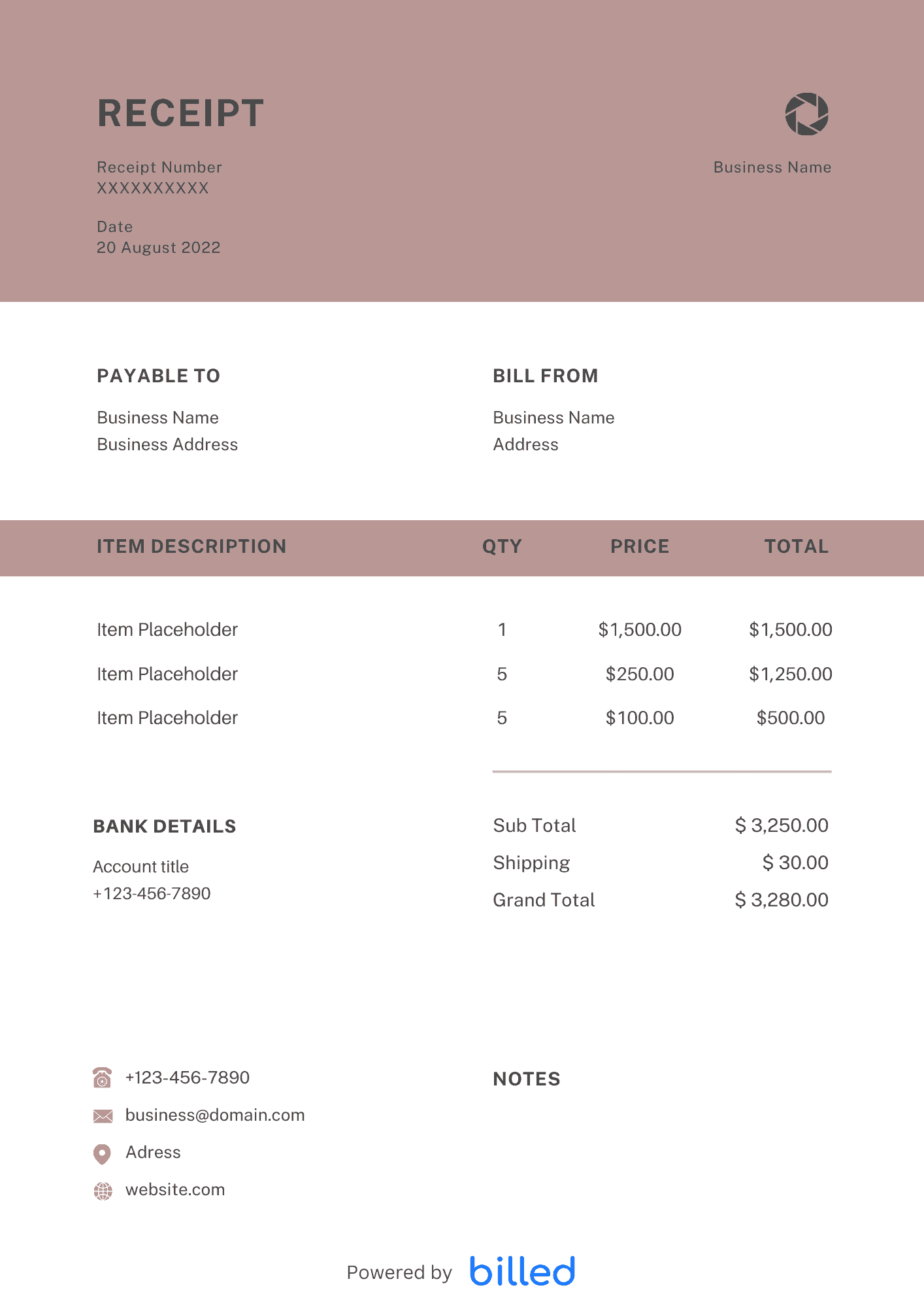
Receipt title: Clearly indicate the document’s nature as an “Acknowledgment Receipt” to provide clarity.
Order number: Include the unique purchase order number associated with the goods or services delivered for inventory and reference purposes.
Acknowledgment date: Specify the exact date when the order was received to establish a timeline for the transaction.
Sender’s name and contact: Provide the name, and contact information, including phone number and address, of the sender, whether an individual or business entity. Incorporating a business logo adds a professional touch.
Shipping details: Include the shipping company’s name, address, contact information, and shipment order number for clear identification and tracking purposes.
Payment status and terms: Declare the payment status and terms of the order, indicating whether it has been paid fully or partially.
List of items being ordered and quantity: Provide a detailed list of the delivered items, including a concise description of each item and the corresponding quantity.
Unit price and price for the lot: Indicate the unit price of each item and calculate the total amount owed for the entire order.
Amount due: Specify the total amount owed by the buyer, encompassing the order total, delivery fees, and other applicable charges.
Total tax: If applicable, disclose the amount of sales tax included in the transaction to ensure compliance with tax regulations.
Acknowledgment statement: Include a clear statement at the end of the receipt affirming that the order was received as requested, both in quantity and condition.
Stamp or electronic signature with date: Ensure the receipt is signed by the recipient, accompanied by the date, verifying the authenticity of the acknowledgment statement.
Benefits of Using The Acknowledgment Receipt Template
Using the acknowledgment receipt templates from Billed gives you many advantages, some of them are as follows.
- Accuracy: The receipt provides precise and accurate proof of payment.
- Budget Control: Maintaining the budget of any business is a stressful job. But with a receipt, you can easily manage your business budget.
- Easy to manage: Every business person wants to manage and run his cash flow smoothly and effortlessly. The receipt empowers you to get rid of these stressful and painful worries.
- Tax Time: In tax season, you can easily measure taxes, and file your tax returns quickly.
How to use our Acknowledgment Receipt Template?
If you want to use stylish and customizable acknowledgment receipt template, then follow the given steps.
- Add your business name and contacts details
- Add your business logo in different fonts and colors
- Add the amount you receive from the client
- Add your customer details like name and contact address.
- Add the complete item description for which you want to generate the receipt
- Review the sample receipt on the screen and print it out with a single click.
Some Other Templates
How to create an Acknowledgment Receipt?
Even though you can find tons of receipt templates, yet you might find them difficult to use. Luckily, with Billed you can easily create a stylish and detailed receipt in just a few seconds.
Follow the given instructions and get your acknowledgment receipt.
Download the Template:
Download the free Acknowledgment Receipt Template from Billed
Customize the Template:
Add your business name and contact details. Include your business name, address, phone number, and email address.
Include Transaction Details:
Add the client’s name and basic contact information, including their full name, address, phone number, and email address.
Specify the receipt issuance date:
This is the date when the receipt is issued to the client.
Amount:
Enter the total amount the client makes as a purchase payment or any outstanding balance.
If there are any other payments, such as advances, security deposits, or additional fees, include them separately in the receipt.
Add Payment Method:
Specify the payment method used by the client (e.g., cash, check, credit card, bank transfer).
Save:
Save the customized receipt template with a suitable file name on your computer for future use.
Sign or Stamp:
Leave a space at the bottom of the receipt for your signature or company stamp if required. This verifies the authenticity of the receipt.
Send your Receipt:
Once the receipt is completed, you can either print it out and provide a physical copy to the client or send it electronically via email or Billed.
Skip the Templates — Create Receipts Online
Why download templates when you can create professional receipts online with Billed? Customize, send, and get paid — all in one place.
No credit card required. Cancel anytime.
How To Create Your Receipt With Billed
Get started in minutes with three simple steps.
Sign Up Free
Create your free Billed account in seconds. No credit card required.
Customize Template
Choose and customize your receipt template with your business details.
Send & Get Paid
Send your professional receipt to clients and get paid faster.
Frequently Asked Questions
Common questions about this receipt template.
Related Templates
Explore more templates for your business.
Related Articles
Learn more about creating professional receipts for your business.
Ready To Create Your Receipt?
Join thousands of businesses using Billed to create professional receipts and get paid faster.
No credit card required. Cancel anytime.