
Business Invoice Template
Business Invoice Template Create and send invoices quickly with the free business invoice template from Billed
No credit card required. Cancel anytime.
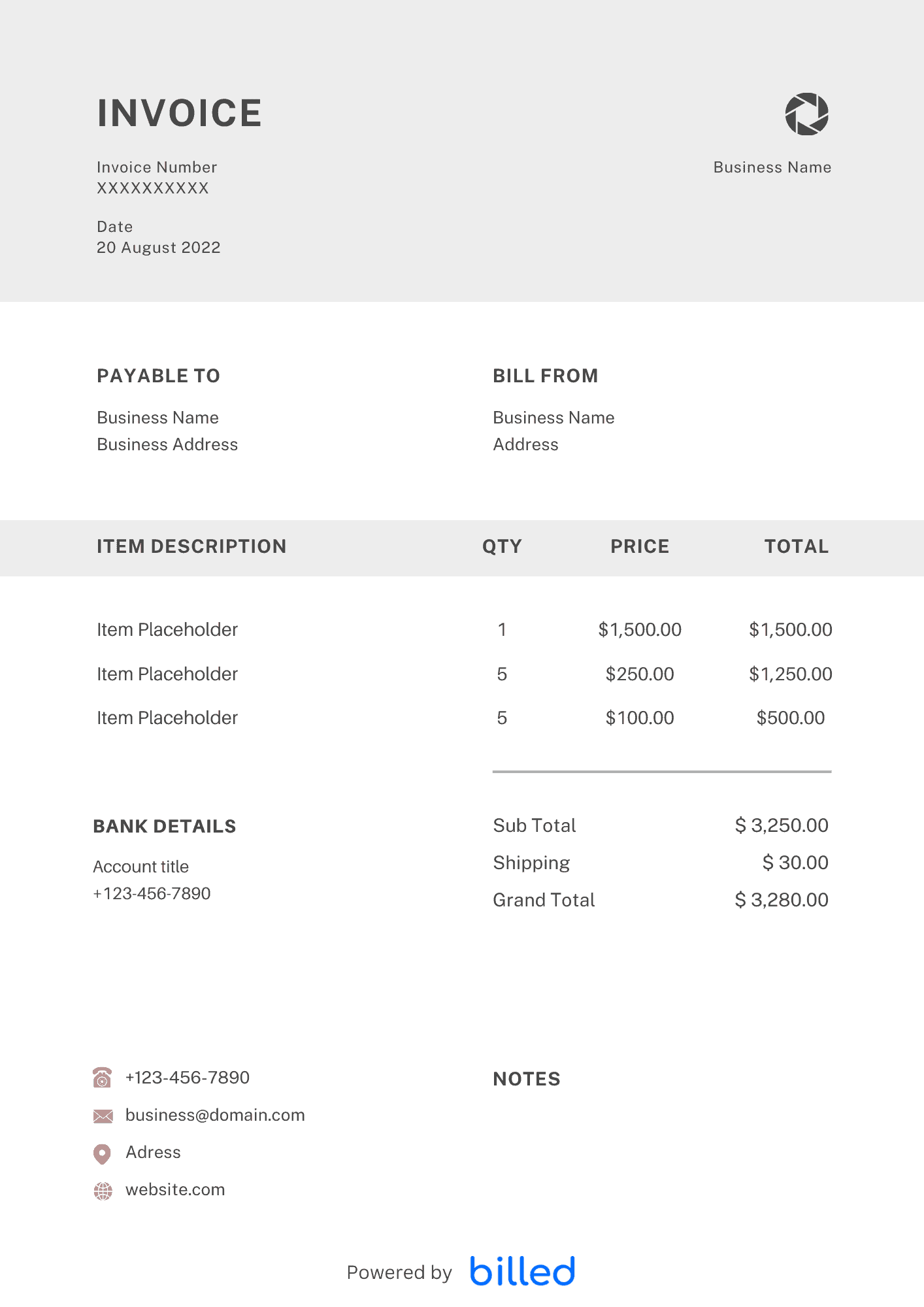
a Business Invoice Template
Choose a template variation and download in your preferred format.
Create with Billed
Create with Billed
Create with Billed
Get Your Free Business Invoice Template
You work hard to earn your living, and after the completion of every task, you want to get compensated timely and accurately. To get paid timely and ideally, you need a powerful invoicing tool to bill your clients.
Get the free business invoice templates from Billed for your business, start billing your clients professionally, and collect all your payments immediately in the right way flawlessly.
Our stylish and professional-looking templates are available in various formats MS-Excel, .
What is a Business Invoice Used For?
A business invoice is a formal document outlining the financial transaction between a seller and a buyer. It is used to request payment for products sold or services rendered. The invoice clearly records the items sold, their quantities, prices, and applicable taxes or discounts. It also specifies the payment terms, including the due date and accepted payment methods. By using a business invoice, businesses can maintain a professional and organized approach to billing, ensuring timely payments and accurate financial records.
Invoice Types for Businesses
In the business world, various types of individuals and entities require different invoices to facilitate their billing processes. Here are some common invoice types for specific business categories:
- Self-employed individuals
- Freelancers
- Small business owners
- Consultants
- Coaches
- Professional services
- Sole traders
How to create a Business Invoice?
Creating a business invoice is simple with our free business invoice template. Just follow these steps:
Download the Template: Get started with our free business invoice template from Billed.
Customize Header: Add your business logo, company name, address, and contact details at the top of the invoice. This gives the invoice a professional and branded appearance.
Input Client Information: Below the header, enter the client’s name, address, and contact information. Ensure accuracy for effective communication.
Assign an Invoice Number: Generate a unique invoice number and include it prominently. This helps with organization and reference.
Specify Invoice Date: Indicate the date when the invoice is issued. This helps both you and your client track payment timelines.
Itemize Products or Services: List the products sold or services provided, along with a description, quantity, unit price, and line item subtotal. Include any applicable taxes or discounts.
Calculate Subtotals and Total Amount: Calculate the subtotal by adding the line item totals. Then, include any additional charges or taxes to determine the final amount due.
Outline Payment Terms: Clearly define the payment terms, including the due date, accepted payment methods, and any late payment penalties or early payment discounts.
Review and Save: Double-check all the information for accuracy and completeness. Save a copy of the invoice with a descriptive filename for future reference.
With these simple steps, you can quickly customize our business invoice template with your logo and contact details, input client information, itemize products or services, and outline payment terms. This ensures a professional and comprehensive invoice that simplifies your billing process.
Skip the Templates — Create Invoices Online
Why download templates when you can create professional invoices online with Billed? Customize, send, and get paid — all in one place.
No credit card required. Cancel anytime.
How To Create Your Invoice With Billed
Get started in minutes with three simple steps.
Sign Up Free
Create your free Billed account in seconds. No credit card required.
Customize Template
Choose and customize your invoice template with your business details.
Send & Get Paid
Send your professional invoice to clients and get paid faster.
Related Articles
Learn more about creating professional invoices for your business.
Ready To Create Your Invoice?
Join thousands of businesses using Billed to create professional invoices and get paid faster.
No credit card required. Cancel anytime.