
Chiropractor Invoice Template: Free Template & Guide
Chiropractor Invoice Template Bill patients and wellness clients clearly for adjustments, exams, and packages
No credit card required. Cancel anytime.
Key Features
Everything you need in a professional invoice template.
Why Chiropractors Need Professional Invoices
Professional invoices reduce confusion after visits. When line items spell out the adjustment, therapy modality, or re-evaluation fee, patients understand the charge and are more likely to pay on time. Invoices also create a paper trail for your books, which your accountant will appreciate at tax time.
If you sell care plans or prepaid packages, invoices document what was purchased and what remains. That clarity prevents awkward conversations later. Consistent numbering and dates make it easy to match deposits in your bank feed to specific patients and visits.
What to Put on a Chiropractic Invoice
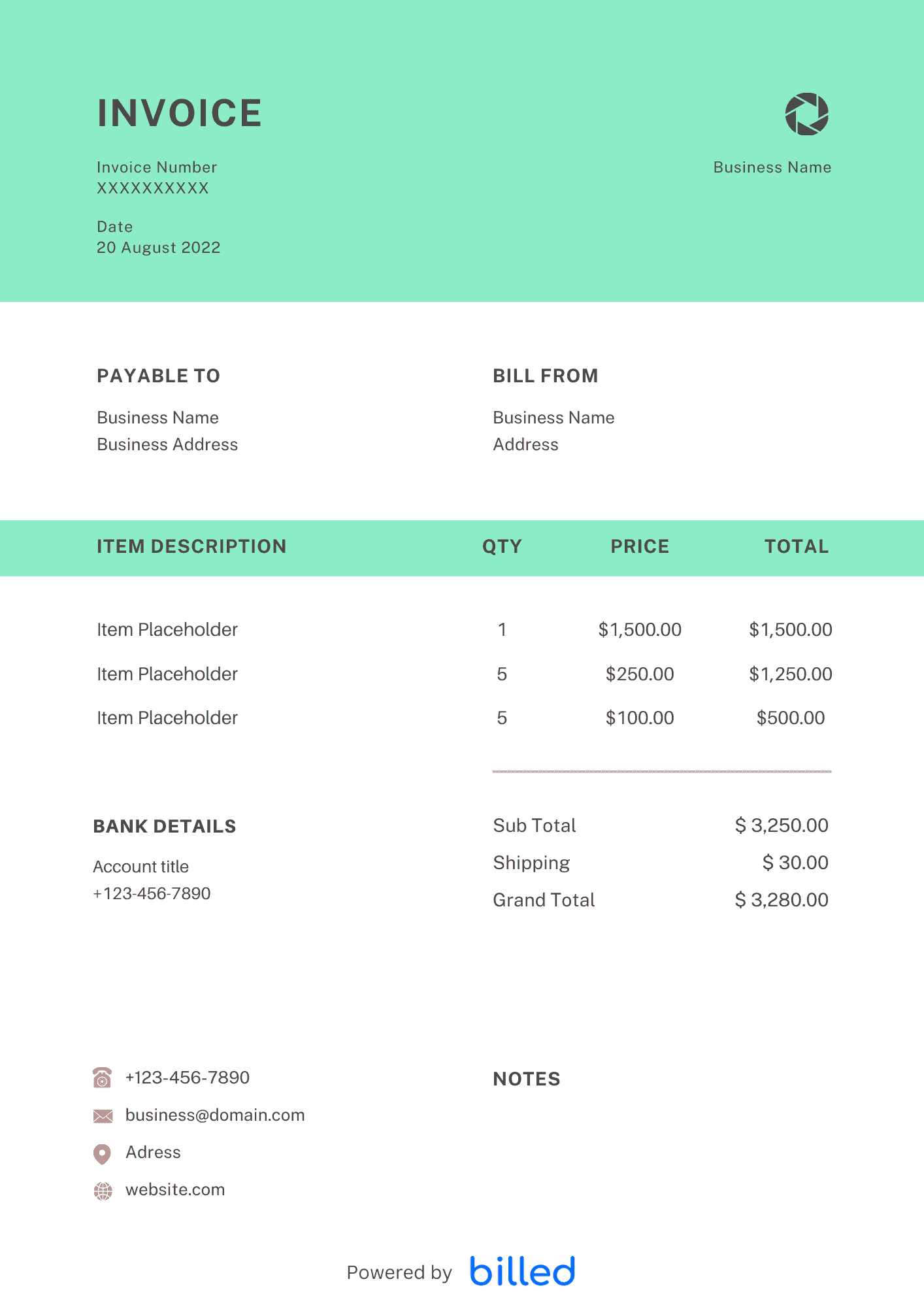
Include your practice name, address, phone, and email; the patient’s name and contact details; a unique invoice number; the service date; and a plain-language description of each service. List unit price, quantity if applicable, subtotal, taxes if you collect them, and the total due. Add payment terms such as due on receipt or Net 15, plus accepted methods.
In day-to-day operation, this section matters because clients reading the invoice are scanning for a small set of cues — what was delivered, when, how much, and how to pay — and any field that goes missing or is unclear creates a back-and-forth that delays payment. Keep the language plain, the numbers visible, and the next step (Pay Now / Confirm) one click away. If you set up these sections once as a saved template, every future invoice ships in seconds with the same clean structure rather than getting rebuilt from scratch each time.
When to Send the Invoice
Many chiropractors invoice at the point of service for single visits, and on a set schedule for memberships or installment plans. For personal injury or attorney-involved cases, confirm who the payor is before you send the bill so the right party receives it.
In day-to-day operation, this section matters because clients reading the invoice are scanning for a small set of cues — what was delivered, when, how much, and how to pay — and any field that goes missing or is unclear creates a back-and-forth that delays payment. Keep the language plain, the numbers visible, and the next step (Pay Now / Confirm) one click away. If you set up these sections once as a saved template, every future invoice ships in seconds with the same clean structure rather than getting rebuilt from scratch each time.
Formats That Fit Your Workflow
You can start from a downloadable layout and edit in , or . When you are ready to automate reminders and online payments, Billed turns the same structure into invoices you can send and track in one place.
Browse more free invoice templates for other industries.
In day-to-day operation, this section matters because clients reading the invoice are scanning for a small set of cues — what was delivered, when, how much, and how to pay — and any field that goes missing or is unclear creates a back-and-forth that delays payment. Keep the language plain, the numbers visible, and the next step (Pay Now / Confirm) one click away. If you set up these sections once as a saved template, every future invoice ships in seconds with the same clean structure rather than getting rebuilt from scratch each time.
Record-Keeping and Cash Flow
Keep a digital copy of every invoice next to your appointment log so year-end reporting stays simple. When patients make partial payments, show the amount received and the remaining balance on follow-up invoices so statements always match their expectations. A quick monthly review of open invoices helps you spot late accounts before they snowball. If associates or therapists work under your license, align payout timing with when you collect so payroll never runs ahead of deposits.
In day-to-day operation, this section matters because clients reading the invoice are scanning for a small set of cues — what was delivered, when, how much, and how to pay — and any field that goes missing or is unclear creates a back-and-forth that delays payment. Keep the language plain, the numbers visible, and the next step (Pay Now / Confirm) one click away. If you set up these sections once as a saved template, every future invoice ships in seconds with the same clean structure rather than getting rebuilt from scratch each time.
Skip the Templates — Create Invoices Online
Why download templates when you can create professional invoices online with Billed? Customize, send, and get paid — all in one place.
No credit card required. Cancel anytime.
What's included in this invoice template
| Feature | Included |
|---|---|
| Visit-based billing with adjustment type and technique fields | Included |
| Insurance and superbill formatting with CPT code support | Included |
| Package plan tracking with prepaid visit balance display | Included |
| X-ray and diagnostic imaging fee line items | Included |
| Workers compensation and auto injury case billing fields | Included |
How we built this template. We reviewed 4+ of the most common billing questions Chiropractor Invoice Template ask and mapped each answer to a specific invoice field. The template structure reflects what paid invoices look like — not what a generic template generator would output. For each comparison or claim, we cross-referenced at least one primary source (the vendor's pricing page, an official government dataset, or a published industry report) and noted where the source disagrees with widely-cited secondary numbers. Where source figures change frequently (tax rates, vendor pricing tiers, regulatory thresholds), we flag the data point so it can be re-verified at the start of each filing or fiscal period.
When this isn't for you
If you are running on an ERP (NetSuite, SAP, Oracle) or industry billing suite (medical, construction PM, law practice management), use that system's built-in invoicing. A standalone template creates a reconciliation problem rather than solving one. This template is built for solo operators and small teams that bill directly. Operationally, the structure here breaks down once you cross the threshold of having a dedicated finance/billing team, multi-entity consolidation needs, or a regulated payer environment that mandates specific claim or billing formats. In those cases, treat this as background context and follow your platform's or payer's required workflow rather than a generic best-practice template. For teams under 20 people doing direct-to-client billing, this remains the right starting point — the rubric breaks at the enterprise/ERP boundary, not at small-team scale.
How To Create Your Invoice With Billed
Get started in minutes with three simple steps.
Sign Up Free
Create your free Billed account in seconds. No credit card required.
Customize Template
Choose and customize your invoice template with your business details.
Send & Get Paid
Send your professional invoice to clients and get paid faster.
Frequently Asked Questions
Common questions about this invoice template.
Related Templates
Explore more templates for your business.
Related Articles
Learn more about creating professional invoices for your business.
Ready To Create Your Invoice?
Join thousands of businesses using Billed to create professional invoices and get paid faster.
No credit card required. Cancel anytime.