
Doula Invoice Template: Free Template & Guide
Doula Invoice Template Bill birth and postpartum clients clearly for packages, hourly support, and add-ons
No credit card required. Cancel anytime.
Key Features
Everything you need in a professional invoice template.
Reflect the Care You Give
Families hire doulas for trust and continuity. A warm but professional invoice shows you run a real business with clear boundaries. When retainers, balance-due dates, and backup doula fees appear in writing, everyone knows what happens if plans change.
Typical Line Items
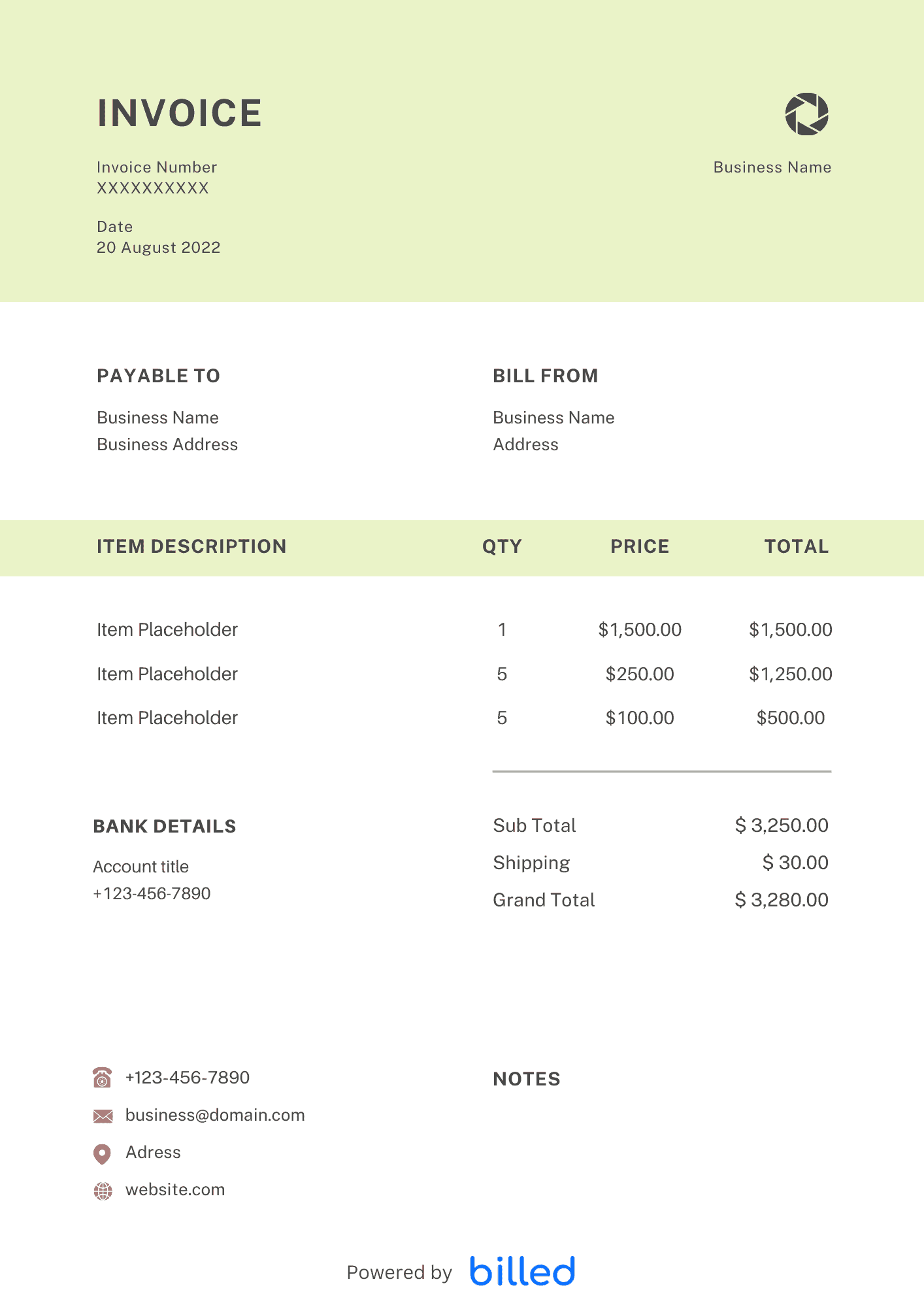
Common rows include deposit to reserve due date, prenatal meeting blocks, continuous labor support, postpartum follow-up visits, sibling care add-ons, and travel beyond a defined radius. If you partner with photographers or placenta encapsulators as pass-through costs, label those clearly so your margin stays visible.
In day-to-day operation, this section matters because clients reading the invoice are scanning for a small set of cues — what was delivered, when, how much, and how to pay — and any field that goes missing or is unclear creates a back-and-forth that delays payment. Keep the language plain, the numbers visible, and the next step (Pay Now / Confirm) one click away. If you set up these sections once as a saved template, every future invoice ships in seconds with the same clean structure rather than getting rebuilt from scratch each time.
Payment Structure
Many doulas collect a non-refundable deposit and invoice the remainder by a gestational week milestone. Others use three equal payments. Whatever you choose, repeat the schedule on each invoice so tired new parents do not have to dig through email threads.
In day-to-day operation, this section matters because clients reading the invoice are scanning for a small set of cues — what was delivered, when, how much, and how to pay — and any field that goes missing or is unclear creates a back-and-forth that delays payment. Keep the language plain, the numbers visible, and the next step (Pay Now / Confirm) one click away. If you set up these sections once as a saved template, every future invoice ships in seconds with the same clean structure rather than getting rebuilt from scratch each time.
Edit in Your Favorite App
The template opens in , or . When your practice grows, Billed stores client details, sends reminders, and accepts cards without extra spreadsheets.
Browse invoice templates for caregivers and educators.
In day-to-day operation, this section matters because clients reading the invoice are scanning for a small set of cues — what was delivered, when, how much, and how to pay — and any field that goes missing or is unclear creates a back-and-forth that delays payment. Keep the language plain, the numbers visible, and the next step (Pay Now / Confirm) one click away. If you set up these sections once as a saved template, every future invoice ships in seconds with the same clean structure rather than getting rebuilt from scratch each time.
Contracts, Cancellations, and Credits
Reference your signed service agreement date at the top of each invoice so families connect payment milestones to the paperwork they already reviewed. If someone cancels within your policy window, issue a credit memo or revised invoice rather than editing old PDFs by hand. For backup doulas who step in, pass-through fees should name the professional and hours covered. Archiving every invoice with the baby’s due month in the filename makes tax-season storytelling easier when you report multiple overlapping clients.
In day-to-day operation, this section matters because clients reading the invoice are scanning for a small set of cues — what was delivered, when, how much, and how to pay — and any field that goes missing or is unclear creates a back-and-forth that delays payment. Keep the language plain, the numbers visible, and the next step (Pay Now / Confirm) one click away. If you set up these sections once as a saved template, every future invoice ships in seconds with the same clean structure rather than getting rebuilt from scratch each time.
Skip the Templates — Create Invoices Online
Why download templates when you can create professional invoices online with Billed? Customize, send, and get paid — all in one place.
No credit card required. Cancel anytime.
What's included in this invoice template
| Feature | Included |
|---|---|
| Birth support package billing with prenatal visit tracking | Included |
| Postpartum care session-based pricing with hourly rates | Included |
| On-call availability fee and birth attendance flat-rate fields | Included |
| Childbirth education class and workshop line items | Included |
| Travel and mileage expense reimbursement for home visits | Included |
How we built this template. We reviewed 4+ of the most common billing questions Doula Invoice Template ask and mapped each answer to a specific invoice field. The template structure reflects what paid invoices look like — not what a generic template generator would output. For each comparison or claim, we cross-referenced at least one primary source (the vendor's pricing page, an official government dataset, or a published industry report) and noted where the source disagrees with widely-cited secondary numbers. Where source figures change frequently (tax rates, vendor pricing tiers, regulatory thresholds), we flag the data point so it can be re-verified at the start of each filing or fiscal period.
When this isn't for you
If you are running on an ERP (NetSuite, SAP, Oracle) or industry billing suite (medical, construction PM, law practice management), use that system's built-in invoicing. A standalone template creates a reconciliation problem rather than solving one. This template is built for solo operators and small teams that bill directly. Operationally, the structure here breaks down once you cross the threshold of having a dedicated finance/billing team, multi-entity consolidation needs, or a regulated payer environment that mandates specific claim or billing formats. In those cases, treat this as background context and follow your platform's or payer's required workflow rather than a generic best-practice template. For teams under 20 people doing direct-to-client billing, this remains the right starting point — the rubric breaks at the enterprise/ERP boundary, not at small-team scale.
How To Create Your Invoice With Billed
Get started in minutes with three simple steps.
Sign Up Free
Create your free Billed account in seconds. No credit card required.
Customize Template
Choose and customize your invoice template with your business details.
Send & Get Paid
Send your professional invoice to clients and get paid faster.
Frequently Asked Questions
Common questions about this invoice template.
Related Templates
Explore more templates for your business.
Related Articles
Learn more about creating professional invoices for your business.
Ready To Create Your Invoice?
Join thousands of businesses using Billed to create professional invoices and get paid faster.
No credit card required. Cancel anytime.