
Photography Invoice Template: Free Template & Guide
Photography Invoice Template Level up your invoicing process with Billed's free photography invoice template
No credit card required. Cancel anytime.
Key Features
Everything you need in a professional invoice template.
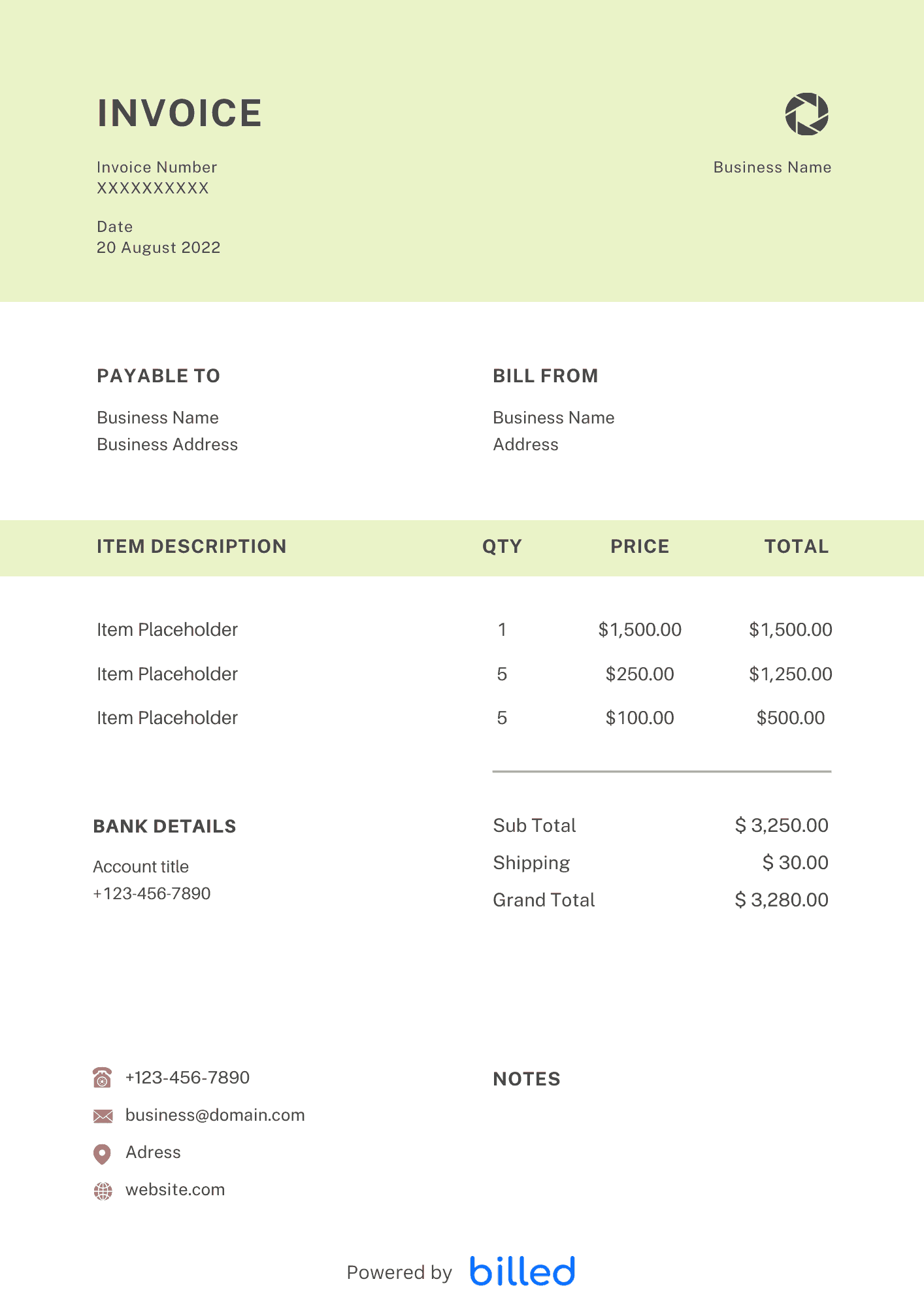
Photography Invoice Template
Choose a template variation and download in your preferred format.
Create with Billed
Get Your Photography Invoice Template For Free
Get your free photography invoice template from Billed, our powerful business automation functionality, saving you time and money. With our free downloadable invoice templates, you can easily send branded and professional invoices, keep track of expenses and organize your team’s collaboration with customers more skillfully.
Our stylish and customizable templates are available in different friendly formats XLS, .
How to Bill Your Photography Clients
Billing your photography clients can be simple and inexpensive. With Billed’s free photography invoice template, you can easily create, customize, and send professional invoices, ensuring prompt and accurate payments every time.
For freelance photographers, our freelance photography invoice template is perfect. It offers a beautiful layout and customizable design options to impress clients while efficiently managing recurring projects and outstanding payments.
No need to break the bank or compromise on style. Download, edit, and send invoices hassle-free, allowing you to focus on your craft while getting paid promptly.
Whether you specialize in portraits, landscapes, weddings, corporate events, or any other photography niche, our free template is versatile and suitable for all photography services.
Specifically for weddings, our wedding photography invoice template keeps your business organized, ensuring accurate tracking of equipment costs, hiring fees, and hourly rates. Impress clients with comprehensive and professional invoices, leading to more referrals and future projects.
Creating photography invoices with Billed streamlines your business finances prevents confusion, and simplifies tax preparations. Take control of your billing process and keep your photography business thriving.
What attachments are generally included with photography invoices?
If you have extra expenses that your client needs to cover, it’s important to include them in your invoice. Make sure to attach receipts for these expenses and mention them in the invoice. This way, your client can easily refer to the receipts and understand the breakdown of costs, including any equipment rental expenses. Keep things organized and transparent for a smooth payment process.
In day-to-day operation, this section matters because clients reading the invoice are scanning for a small set of cues — what was delivered, when, how much, and how to pay — and any field that goes missing or is unclear creates a back-and-forth that delays payment. Keep the language plain, the numbers visible, and the next step (Pay Now / Confirm) one click away. If you set up these sections once as a saved template, every future invoice ships in seconds with the same clean structure rather than getting rebuilt from scratch each time.
Invoice Types for Photographers
Choosing the right invoice template is crucial for effectively managing your business transactions as a photographer. Consider these invoice types to meet the specific needs of you and your clients:
Standard Invoice: A straightforward bill that outlines the total amount due for your photography services.
Recurring Invoice: Ideal for accepting ongoing payments from clients who require regular photography services.
Prepayment Invoice: When requesting a deposit or advance payment, this invoice ensures a partial payment is made before the shoot or project begins, commonly used for larger photography packages.
Time-Based Invoice: Use this invoice when the total cost is determined by the duration of the project or shoot, allowing you to bill clients based on the time spent.
Credit Invoice: If you need to provide a refund or notify your client of a positive account balance, a credit invoice serves this purpose.
Debit Invoice: Inform your client of the specific amount they owe with a debit invoice, ensuring clarity regarding outstanding payments.
Mixed Invoice: A mixed invoice consolidates both aspects, providing a comprehensive account overview for accounts with a combination of credits and charges.
Choose the appropriate invoice type that aligns with your photography business requirements, helping you manage finances efficiently and maintain smooth client relationships.
What Is a Photography Invoice Used For?
As a professional photographer, you always need such an invoice that fulfills all your invoicing needs.
Through an invoice, your client comes to know how much he owed for your services.
A well-organized and professional invoice showcases the list of provided services along with the charges, which empowers you to get paid professionally and effectively.
Besides billing your client, invoices are always very handy to keep the record of all your business transactions. It also helps you while filling the tax.
While working on a long project, you may need some other subcontractor to accomplish the project. In these conditions, you need to create additional invoices for their work.
In day-to-day operation, this section matters because clients reading the invoice are scanning for a small set of cues — what was delivered, when, how much, and how to pay — and any field that goes missing or is unclear creates a back-and-forth that delays payment. Keep the language plain, the numbers visible, and the next step (Pay Now / Confirm) one click away. If you set up these sections once as a saved template, every future invoice ships in seconds with the same clean structure rather than getting rebuilt from scratch each time.
How to Create a Photography Invoice?
Creating a professional and customizable photography invoice with Billed is a matter of a few seconds.
Follow the given steps and get your first-ever free professional and detailed invoice today.
- Download the Photography Invoice Template from Billed for free
- Add your business logo in various colors and fonts
- Add your business logo in various colors and fonts
- Add your client’s name and contact details
- Add the unique invoice number
- Add the itemized list of all services and the cost for each
- Calculate the total cost
- Add payment terms and conditions
- Add privacy policy if any
- Save
- Send via Billed or email etc.
You can easily create a detailed and customizable photography invoice in seconds with Billed. Let’s start making photography invoices with Billed and get paid for all your hard work in the right way promptly.
In day-to-day operation, this section matters because clients reading the invoice are scanning for a small set of cues — what was delivered, when, how much, and how to pay — and any field that goes missing or is unclear creates a back-and-forth that delays payment. Keep the language plain, the numbers visible, and the next step (Pay Now / Confirm) one click away. If you set up these sections once as a saved template, every future invoice ships in seconds with the same clean structure rather than getting rebuilt from scratch each time.
Some Other Templates
- Retainer Invoice Template
- Proforma Invoice Template
- Pet Grooming Invoice Template
- Landscaping Invoice Template
- Musician Invoice Template
In day-to-day operation, this section matters because clients reading the invoice are scanning for a small set of cues — what was delivered, when, how much, and how to pay — and any field that goes missing or is unclear creates a back-and-forth that delays payment. Keep the language plain, the numbers visible, and the next step (Pay Now / Confirm) one click away. If you set up these sections once as a saved template, every future invoice ships in seconds with the same clean structure rather than getting rebuilt from scratch each time.
Skip the Templates — Create Invoices Online
Why download templates when you can create professional invoices online with Billed? Customize, send, and get paid — all in one place.
No credit card required. Cancel anytime.
What's included in this invoice template
| Feature | Included |
|---|---|
| Session package fields for weddings, portraits, and commercial shoots | Included |
| Print order line items with size, finish, and quantity columns | Included |
| Booking deposit and balance-due split payment tracking | Included |
| Image licensing terms section for personal vs. commercial usage rights | Included |
| Post-production and editing fee itemization by deliverable count | Included |
How we built this template. We reviewed 4+ of the most common billing questions Photography Invoice Template ask and mapped each answer to a specific invoice field. The template structure reflects what paid invoices look like — not what a generic template generator would output. For each comparison or claim, we cross-referenced at least one primary source (the vendor's pricing page, an official government dataset, or a published industry report) and noted where the source disagrees with widely-cited secondary numbers. Where source figures change frequently (tax rates, vendor pricing tiers, regulatory thresholds), we flag the data point so it can be re-verified at the start of each filing or fiscal period.
When this isn't for you
If you are running on an ERP (NetSuite, SAP, Oracle) or industry billing suite (medical, construction PM, law practice management), use that system's built-in invoicing. A standalone template creates a reconciliation problem rather than solving one. This template is built for solo operators and small teams that bill directly. Operationally, the structure here breaks down once you cross the threshold of having a dedicated finance/billing team, multi-entity consolidation needs, or a regulated payer environment that mandates specific claim or billing formats. In those cases, treat this as background context and follow your platform's or payer's required workflow rather than a generic best-practice template. For teams under 20 people doing direct-to-client billing, this remains the right starting point — the rubric breaks at the enterprise/ERP boundary, not at small-team scale.
How To Create Your Invoice With Billed
Get started in minutes with three simple steps.
Sign Up Free
Create your free Billed account in seconds. No credit card required.
Customize Template
Choose and customize your invoice template with your business details.
Send & Get Paid
Send your professional invoice to clients and get paid faster.
Frequently Asked Questions
Common questions about this invoice template.
Related Templates
Explore more templates for your business.
Related Articles
Learn more about creating professional invoices for your business.
Ready To Create Your Invoice?
Join thousands of businesses using Billed to create professional invoices and get paid faster.
No credit card required. Cancel anytime.