
Free PDF Invoice Template - Download & Print
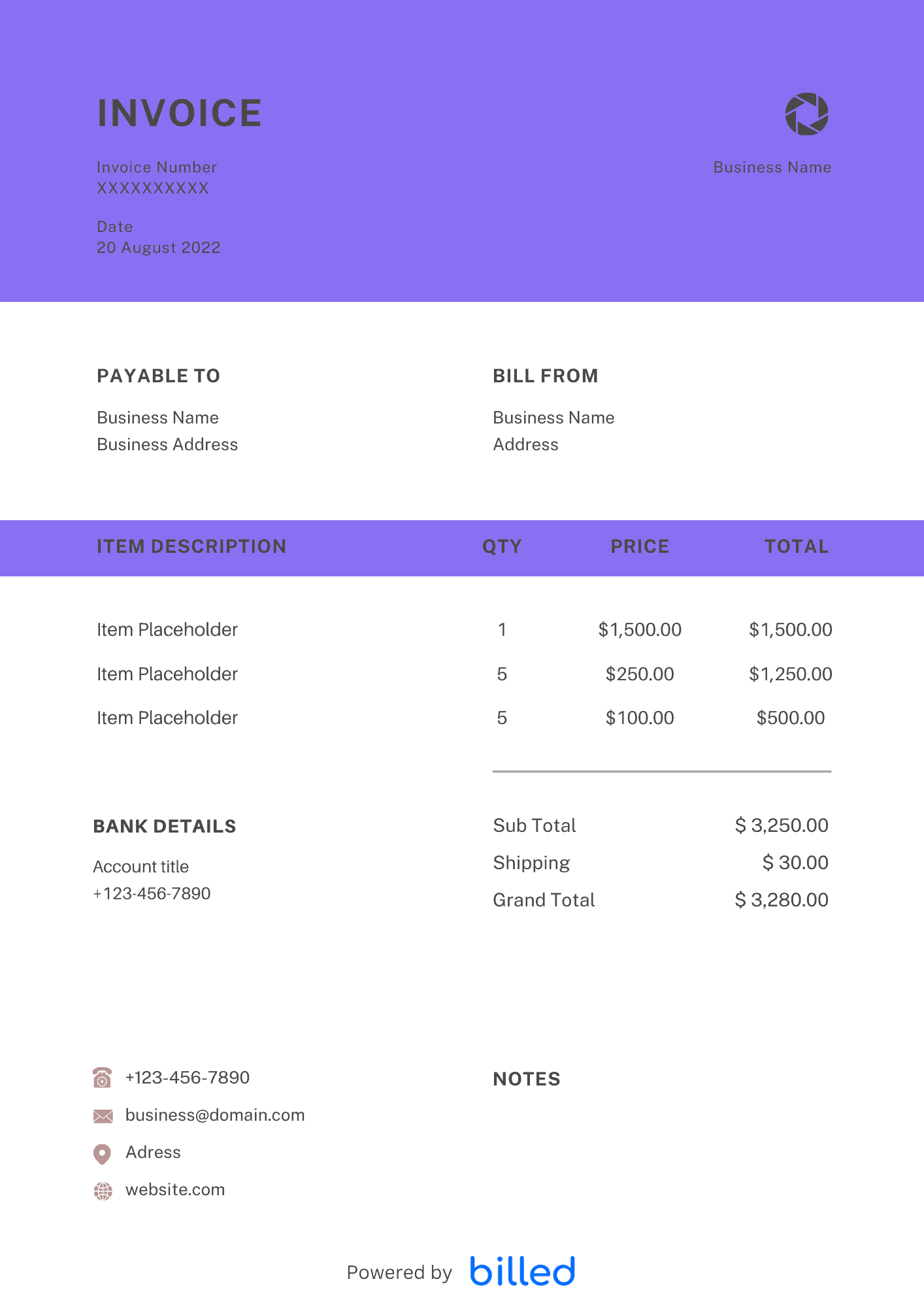
PDF Invoice Template Do you want a free and easy way to bill your clients and get paid quickly? Then you should download the free PDF invoice template from Billed
No credit card required. Cancel anytime.
Key Features
Everything you need in a professional invoice template.
PDF Invoice Template
Choose a template variation and download in your preferred format.
Create with Billed
Invoice With Billed
Create professional-looking invoices with Billed. Get started for free.
Get Your Free PDF Invoice Template
You can not run your business smoothly and effectively without powerful invoicing software. But you don’t need to worry anymore, with the professional-looking and customizable invoice templates from Billed you can easily and quickly bill your clients.
Besides PDF format, you can download our beautiful and professional invoice templates in , Google Sheet, .
What is a Fillable PDF Invoice Template?
A PDF invoice template is a customizable template that fits all your business needs. You can easily edit fields according to your desire, add your business details, and send it via email, Billed, or by post in no time.
Do you want to use an invoice template that’s free, stylish, flexible, and easy to use? With our free invoice templates you get the perfect solution that works quickly. Now, you can easily focus more on your business and without getting confused with complicated and unpaid invoicing software.
In day-to-day operation, this section matters because clients reading the invoice are scanning for a small set of cues — what was delivered, when, how much, and how to pay — and any field that goes missing or is unclear creates a back-and-forth that delays payment. Keep the language plain, the numbers visible, and the next step (Pay Now / Confirm) one click away. If you set up these sections once as a saved template, every future invoice ships in seconds with the same clean structure rather than getting rebuilt from scratch each time.
PDF Invoicing for Small Businesses
With Billed you can create stylish and professional-looking invoices for your business in a few minutes. Now it is time to save your time and money with the free invoice template from Billed.
No matter you are running a business on a small or big level, you want a quick and simple solution for creating a stylish and detailed invoice for your clients.
Simply download the invoice template from Billed, start creating detailed and well-organized invoices, send and get paid quickly, and ideally.
In day-to-day operation, this section matters because clients reading the invoice are scanning for a small set of cues — what was delivered, when, how much, and how to pay — and any field that goes missing or is unclear creates a back-and-forth that delays payment. Keep the language plain, the numbers visible, and the next step (Pay Now / Confirm) one click away. If you set up these sections once as a saved template, every future invoice ships in seconds with the same clean structure rather than getting rebuilt from scratch each time.
Receipt:
A receipt is a document sent by the seller to the buyer after the final payment has been made.
Time of Issuance:
**Receipt:**
After the payment
Importance:
**Receipt:**
To act as evidence that payment has been made for the goods purchased.
The Details:
**Receipt:**
Amount, unit price, receipt number, discount, taxes, the total amount paid, and payment method.
In day-to-day operation, this section matters because clients reading the invoice are scanning for a small set of cues — what was delivered, when, how much, and how to pay — and any field that goes missing or is unclear creates a back-and-forth that delays payment. Keep the language plain, the numbers visible, and the next step (Pay Now / Confirm) one click away. If you set up these sections once as a saved template, every future invoice ships in seconds with the same clean structure rather than getting rebuilt from scratch each time.
How to Send an Invoice Form PDF?
Are you ready to send an invoice that reflects your professionalism to your client? Follow the given steps and get the perfect way to send a stylish and impact-created invoice to all your clients.
- First look for the invoice that you want to send on your device
- Confirm that all the information is correct such as client name, cost, etc.
- Now save the invoice in PDF format
- To send the invoice via Billed, email, or get the print to post it to the provided address
- To send the invoice via email, create a new email, and add the invoice as an attachment. Then email to the provided address.
In day-to-day operation, this section matters because clients reading the invoice are scanning for a small set of cues — what was delivered, when, how much, and how to pay — and any field that goes missing or is unclear creates a back-and-forth that delays payment. Keep the language plain, the numbers visible, and the next step (Pay Now / Confirm) one click away. If you set up these sections once as a saved template, every future invoice ships in seconds with the same clean structure rather than getting rebuilt from scratch each time.
Some Other Templates
How to Make the Invoice from a PDF Invoice Template?
You can easily create a professional-looking and stylish PDF invoice for your business in just a few minutes.
- Download the “PDF Invoice Template” from Billed for free
- Open the PDF invoice template on your device.
- Add your business information like your company name, address, contact information, and logo.
- Customize the invoice. Add in your client’s details, the services provided, costs, payment methods, due date, and terms and conditions.
- Name the invoice. Example: “(client name) Invoice – (date)”
- Save
With a free PDF invoice template, you can easily add your business information and the payment terms and conditions.
Creating a detailed and stylish invoice is very simple with Billed. Download the free PDF invoice templates from Billed, fill out the custom fields, save and send.
Using professional invoices helps you avoid late payments and improve cash flow.
In day-to-day operation, this section matters because clients reading the invoice are scanning for a small set of cues — what was delivered, when, how much, and how to pay — and any field that goes missing or is unclear creates a back-and-forth that delays payment. Keep the language plain, the numbers visible, and the next step (Pay Now / Confirm) one click away. If you set up these sections once as a saved template, every future invoice ships in seconds with the same clean structure rather than getting rebuilt from scratch each time.
Skip the Templates — Create Invoices Online
Why download templates when you can create professional invoices online with Billed? Customize, send, and get paid — all in one place.
No credit card required. Cancel anytime.
What's included in this invoice template
| Feature | Included |
|---|---|
| Print-optimized PDF layout with professional formatting | Included |
| Fixed positioning for consistent branding across all invoices | Included |
| Digital signature and stamp placement fields | Included |
| Secure and tamper-evident document formatting | Included |
| Universal compatibility across all PDF viewers and devices | Included |
How we built this template. We reviewed 4+ of the most common billing questions PDF Invoice Template ask and mapped each answer to a specific invoice field. The template structure reflects what paid invoices look like — not what a generic template generator would output. For each comparison or claim, we cross-referenced at least one primary source (the vendor's pricing page, an official government dataset, or a published industry report) and noted where the source disagrees with widely-cited secondary numbers. Where source figures change frequently (tax rates, vendor pricing tiers, regulatory thresholds), we flag the data point so it can be re-verified at the start of each filing or fiscal period.
When this isn't for you
If you are running on an ERP (NetSuite, SAP, Oracle) or industry billing suite (medical, construction PM, law practice management), use that system's built-in invoicing. A standalone template creates a reconciliation problem rather than solving one. This template is built for solo operators and small teams that bill directly. Operationally, the structure here breaks down once you cross the threshold of having a dedicated finance/billing team, multi-entity consolidation needs, or a regulated payer environment that mandates specific claim or billing formats. In those cases, treat this as background context and follow your platform's or payer's required workflow rather than a generic best-practice template. For teams under 20 people doing direct-to-client billing, this remains the right starting point — the rubric breaks at the enterprise/ERP boundary, not at small-team scale.
How To Create Your Invoice With Billed
Get started in minutes with three simple steps.
Sign Up Free
Create your free Billed account in seconds. No credit card required.
Customize Template
Choose and customize your invoice template with your business details.
Send & Get Paid
Send your professional invoice to clients and get paid faster.
Frequently Asked Questions
Common questions about this invoice template.
Related Templates
Explore more templates for your business.
Related Articles
Learn more about creating professional invoices for your business.
Ready To Create Your Invoice?
Join thousands of businesses using Billed to create professional invoices and get paid faster.
No credit card required. Cancel anytime.